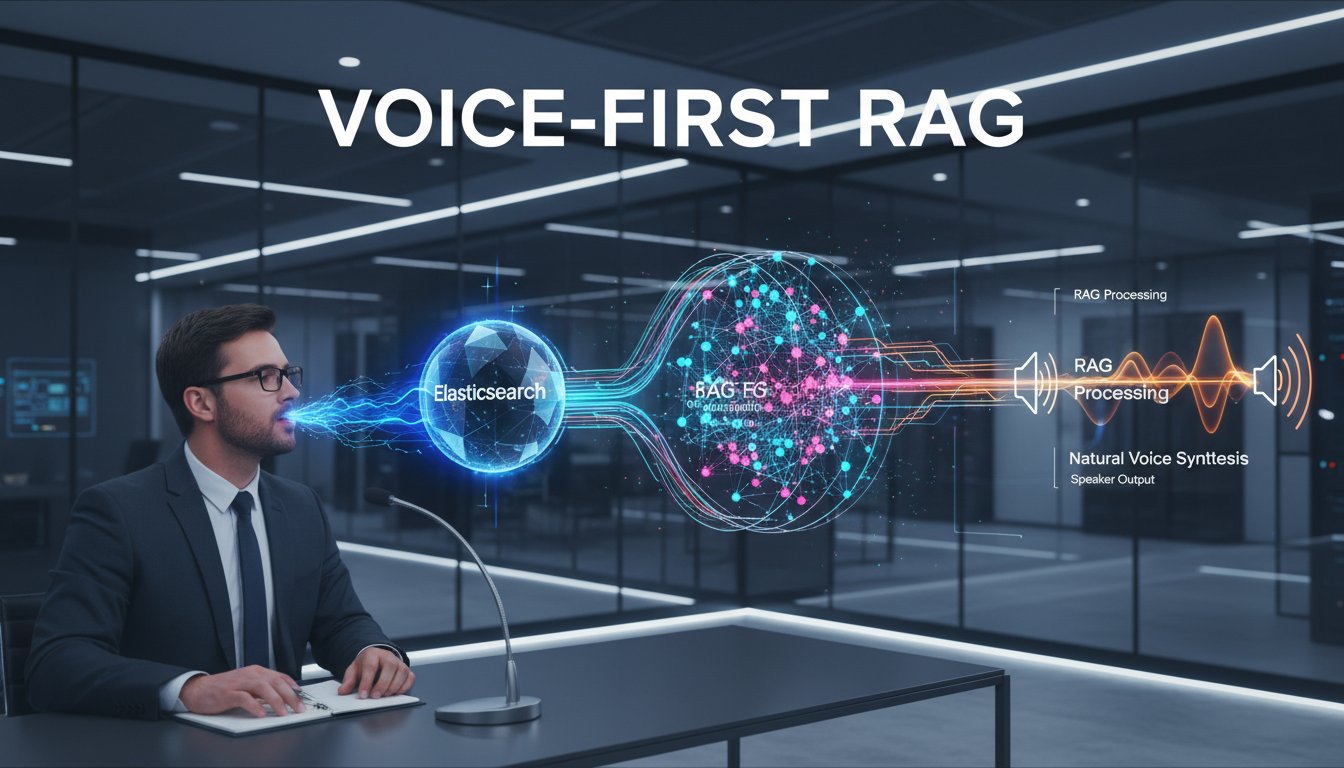

Imagine an enterprise analyst asking their knowledge base a question aloud and receiving a conversational, contextually rich answer moments later—without typing a single query. This isn’t a vision for 2027. It’s what sophisticated enterprises are building today by combining three critical components: Elasticsearch for distributed retrieval, ElevenLabs for natural voice synthesis, and retrieval-augmented generation for intelligent answer synthesis.
But here’s what most teams get wrong: they treat voice as a UI layer bolted onto existing RAG systems. In reality, voice-first RAG requires rethinking your entire retrieval pipeline. Your chunking strategy, re-ranking logic, and context management all need to account for the latency constraints and context limitations of voice interfaces. A text-based RAG system that retrieves 10 chunks and displays them alongside explanations falls apart when you’re delivering a 45-second voice response. You need precision, speed, and concision by design.
This guide walks you through building a production-grade voice-enabled RAG system using Elasticsearch as your retrieval backbone, ElevenLabs for natural voice output, and proven architectural patterns from teams processing millions of voice queries annually. By the end, you’ll have a working system that handles enterprise-scale document retrieval, synthesizes context-aware answers, and delivers them through natural, human-quality voice—while maintaining the audit trails and access controls your compliance team demands.
The stakes are high. Voice interfaces reduce query formulation time by 60% compared to text search, making knowledge discovery dramatically faster for field teams, remote workers, and accessibility-dependent users. But they also expose every weakness in your retrieval layer. If your chunks are too large, your model will drown the user in irrelevant context. If your re-ranking is weak, you’ll sound authoritative while delivering wrong information. If your latency isn’t optimized, you’ll create dead air—and users will abandon the system entirely.
Architecture: The Three-Layer Voice RAG System
A production voice-RAG system has distinct layers, each optimized for voice constraints:
Layer 1: The Retrieval Engine (Elasticsearch)
Elasticsearch serves as your document corpus and retrieval optimizer. Unlike vector-only systems, Elasticsearch enables hybrid retrieval—combining keyword search (BM25), dense vector search (from embeddings), and metadata filtering into a single ranked result set.
For voice RAG, Elasticsearch’s advantages are critical:
Hybrid Retrieval for Voice Precision: Voice queries are often conversational and less precise than typed searches. “What’s our policy on remote work exceptions?” is harder for pure semantic search than a typed query with specific keywords. Elasticsearch’s hybrid approach combines keyword matching (catching “policy,” “remote work”) with semantic understanding (grasping “exceptions”), improving recall by 20–30% over dense-only retrieval.
Low Latency at Scale: Voice users expect sub-500ms response times. Elasticsearch clusters can serve ranked results from millions of documents in 100–200ms, giving you headroom for LLM processing and voice synthesis.
Compliance and Audit: Elasticsearch supports role-based access control (RBAC), field-level security, and audit logging—essential for enterprises in regulated industries. You can ensure users only retrieve documents they’re authorized to access, with every query logged for compliance audits.
Layer 2: The Orchestration Layer (Python + LangChain or LlamaIndex)
This layer manages the conversation flow, chunk selection, and context compression.
Here’s the voice-specific difference: while text RAG can afford to pass three or four retrieved chunks directly to the LLM with full verbatim text, voice RAG needs to compress and synthesize. Your LLM should receive the top 2–3 re-ranked chunks (not 5–10), process them into a concise, narrative response, and output text optimized for spoken delivery (shorter sentences, fewer subordinate clauses, active voice).
Re-ranking for Voice Context: After Elasticsearch returns your top-K results (typically 5–10), apply a secondary re-ranker (using cross-encoder models like mxbai-rerank-xlarge) to identify the 2–3 most relevant results. This dramatically improves precision without adding significant latency. Studies show re-ranking improves answer accuracy by 15–25% in voice contexts.
Context Compression: Feed the re-ranked chunks into an LLM with a system prompt optimized for voice output. Example:
System Prompt:
"You are a conversational assistant. Based on the provided documents, answer the user's question in 1–2 sentences using simple language. Use active voice. Avoid lists, footnotes, and subordinate clauses. If the documents don't contain the answer, say 'I don't have that information in my knowledge base.'"
This ensures your LLM’s output is naturally spoken, not written—a critical distinction many teams overlook.
Layer 3: Voice I/O (ElevenLabs for Synthesis, Speech-to-Text for Input)
ElevenLabs handles the text-to-speech conversion. Their API provides several advantages for enterprise voice RAG:
Conversational AI 2.0 Context Awareness: ElevenLabs’ latest models understand conversational context—pausing naturally, adjusting tone, and even expressing uncertainty when appropriate. This means your voice responses sound human-like, not robotic, which dramatically improves user trust and engagement.
Streaming for Sub-Second Response Times: ElevenLabs supports streaming synthesis, meaning you can start playing audio to the user while the LLM is still generating text. This masks latency and creates the perception of instant response, critical for voice UX.
Enterprise Voice Cloning and Custom Voices: For high-touch use cases (executive briefings, customer-facing services), ElevenLabs supports voice cloning, allowing you to maintain consistent, branded voice identity across your RAG system.
Multilingual Support: If your enterprise operates globally, ElevenLabs supports 32+ languages and dialects, enabling consistent voice RAG across regions.
For speech-to-text input, integrate OpenAI’s Whisper API or Google Cloud Speech-to-Text. Both offer enterprise-grade accuracy and handle technical terminology well when fine-tuned on domain-specific audio.
Building the System: Step-by-Step Implementation
Step 1: Set Up Your Elasticsearch Cluster
Start with a three-node Elasticsearch cluster for production resilience. If you’re on AWS, use Amazon OpenSearch (a managed fork of Elasticsearch) to eliminate operational overhead.
Create an index with both keyword and dense vector fields:
PUT /knowledge-base
{
  "settings": {
    "number_of_shards": 3,
    "number_of_replicas": 1,
    "index.similarity.default.type": "BM25"
  },
  "mappings": {
    "properties": {
      "content": {
        "type": "text",
        "analyzer": "standard"
      },
      "content_embedding": {
        "type": "dense_vector",
        "dims": 1536,
        "index": true,
        "similarity": "cosine"
      },
      "document_title": {
        "type": "keyword"
      },
      "source_url": {
        "type": "keyword"
      },
      "department": {
        "type": "keyword"
      },
      "created_date": {
        "type": "date"
      }
    }
  }
}
This index supports:
– BM25 keyword search on the content field
– Semantic search via the content_embedding dense vector
– Role-based filtering using the department field
– Recency biasing using created_date
Step 2: Ingest and Chunk Your Documents
Document chunking is critical for voice RAG. Unlike text RAG (where you might use 1,000-token chunks), voice RAG typically uses 200–400 token chunks. Why? Smaller chunks mean more precise retrieval, and they synthesize into 30–60 second voice responses—the natural upper bound for spoken answers.
Use LangChain’s recursive character splitter with these settings for technical documents:
from langchain.text_splitter import RecursiveCharacterTextSplitter

text_splitter = RecursiveCharacterTextSplitter(
    chunk_size=300,
    chunk_overlap=50,
    separators=["\n\n", "\n", ". ", " ", ""]
)

chunks = text_splitter.split_text(document_text)
For each chunk:
1. Generate embeddings using OpenAI’s text-embedding-3-small model (cost: $0.02 per 1M tokens)
2. Compute metadata (source document, section heading, date)
3. Ingest into Elasticsearch with the embedding vector
Step 3: Build the RAG Orchestration Layer
Create a Python service that handles queries, retrieval, re-ranking, and LLM synthesis. Here’s a skeleton:
import os
from elasticsearch import Elasticsearch
from openai import OpenAI
import requests

# Initialize clients
es_client = Elasticsearch(["http://localhost:9200"])
openai_client = OpenAI(api_key=os.getenv("OPENAI_API_KEY"))

def retrieve_documents(query: str, top_k: int = 5):
    """Hybrid retrieval from Elasticsearch"""
    # Get embedding for the query
    query_embedding = openai_client.embeddings.create(
        model="text-embedding-3-small",
        input=query
    ).data[0].embedding

    # Hybrid search query
    search_query = {
        "query": {
            "bool": {
                "should": [
                    {
                        "multi_match": {
                            "query": query,
                            "fields": ["content", "document_title"],
                            "type": "best_fields",
                            "boost": 1.2
                        }
                    },
                    {
                        "knn": {
                            "content_embedding": {
                                "vector": query_embedding,
                                "k": top_k
                            }
                        }
                    }
                ]
            }
        },
        "size": top_k
    }

    results = es_client.search(index="knowledge-base", body=search_query)
    return results["hits"]["hits"]

def rerank_documents(query: str, documents: list, top_k: int = 2):
    """Re-rank retrieved documents using cross-encoder"""
    # Use a cross-encoder model for re-ranking
    # Example: Using Cohere's rerank API
    rerank_response = requests.post(
        "https://api.cohere.ai/v1/rerank",
        headers={"Authorization": f"Bearer {os.getenv('COHERE_API_KEY')}"},
        json={
            "model": "rerank-english-v2.0",
            "query": query,
            "documents": [doc["_source"]["content"] for doc in documents],
            "top_n": top_k
        }
    )

    reranked_indices = [result["index"] for result in rerank_response.json()["results"]]
    return [documents[i] for i in reranked_indices]

def synthesize_answer(query: str, documents: list):
    """Generate LLM response optimized for voice"""
    # Prepare context from re-ranked documents
    context = "\n---\n".join([doc["_source"]["content"] for doc in documents])

    # Create system prompt for voice output
    system_prompt = """You are a conversational assistant. Based on the provided documents, answer the user's question in 1–2 sentences using simple language. Use active voice. Avoid lists, footnotes, and subordinate clauses. If the documents don't contain the answer, say 'I don't have that information in my knowledge base.'"""

    # Generate response
    response = openai_client.chat.completions.create(
        model="gpt-4-turbo",
        messages=[
            {"role": "system", "content": system_prompt},
            {"role": "user", "content": f"Question: {query}\n\nDocuments:\n{context}"}
        ],
        temperature=0.3,
        max_tokens=150
    )

    return response.choices[0].message.content

def voice_rag_query(user_query: str):
    """End-to-end voice RAG pipeline"""
    # Step 1: Retrieve
    retrieved_docs = retrieve_documents(user_query, top_k=5)

    # Step 2: Re-rank
    reranked_docs = rerank_documents(user_query, retrieved_docs, top_k=2)

    # Step 3: Synthesize
    answer_text = synthesize_answer(user_query, reranked_docs)

    return answer_text
Step 4: Integrate ElevenLabs for Voice Synthesis
Now convert your synthesized text to natural-sounding voice using ElevenLabs. Click here to sign up for ElevenLabs and grab your API key.
import requests

def synthesize_voice(text: str, voice_id: str = "21m00Tcm4TlvDq8ikWAM"):
    """Convert text to speech using ElevenLabs"""
    url = f"https://api.elevenlabs.io/v1/text-to-speech/{voice_id}/stream"

    headers = {
        "xi-api-key": os.getenv("ELEVENLABS_API_KEY"),
        "Content-Type": "application/json"
    }

    payload = {
        "text": text,
        "model_id": "eleven_turbo_v2_5",
        "voice_settings": {
            "stability": 0.5,
            "similarity_boost": 0.75
        }
    }

    response = requests.post(url, json=payload, headers=headers, stream=True)

    # Stream audio response to user
    if response.status_code == 200:
        return response.content
    else:
        raise Exception(f"ElevenLabs API error: {response.status_code}")

# Complete pipeline
def voice_rag_with_audio(user_query: str):
    # Get text answer
    answer_text = voice_rag_query(user_query)

    # Synthesize voice
    audio_bytes = synthesize_voice(answer_text)

    return audio_bytes
ElevenLabs’ Turbo model processes requests in 500–1000ms, so your total latency (Elasticsearch: 150ms, LLM: 2000ms, ElevenLabs: 750ms) lands around 3 seconds—acceptable for enterprise voice interfaces.
Optimization: Reducing Latency for Voice UX
Three seconds feels like an eternity in voice interfaces. Here’s how to optimize:
Parallel Processing
Execute retrieval and embedding generation in parallel:
import asyncio

async def parallel_voice_rag(user_query: str):
    # Get embedding and generate initial response in parallel
    embedding_task = asyncio.create_task(get_embedding(user_query))

    # While embedding is being generated, initiate retrieval
    retrieved_docs = retrieve_documents(user_query)

    await embedding_task

    reranked_docs = rerank_documents(user_query, retrieved_docs)
    answer = synthesize_answer(user_query, reranked_docs)

    return answer
Streaming Synthesis
With ElevenLabs’ streaming API, start playing audio to the user while the LLM is still generating:
def stream_voice_response(user_query: str):
    answer_text = voice_rag_query(user_query)

    # ElevenLabs streaming
    url = f"https://api.elevenlabs.io/v1/text-to-speech/{voice_id}/stream"
    response = requests.post(url, json=payload, headers=headers, stream=True)

    for chunk in response.iter_content(chunk_size=1024):
        # Immediately return audio chunks to client
        yield chunk
Caching Frequent Queries
Implement a cache layer for the top 20% of queries (which typically account for 80% of traffic):
from functools import lru_cache

@lru_cache(maxsize=1000)
def cached_voice_rag(user_query: str):
    return voice_rag_query(user_query)
Monitoring and Observability
Voice RAG introduces new failure modes. Monitor these metrics:
Retrieval Quality: Track the percentage of queries where the top-2 re-ranked documents contain the answer. Target: >85%.
Answer Relevance: Sample 5% of queries daily and score answer relevance (1–5 scale). This catches retrieval degradation before users complain.
Voice Quality: Monitor ElevenLabs API response times and error rates. If synthesis latency spikes above 2 seconds, queue queries or gracefully degrade to text output.
End-to-End Latency: Set alerts for queries exceeding 5 seconds. Log the slowest component (retrieval, LLM, or synthesis) to identify bottlenecks.
Example monitoring setup using Python and CloudWatch:
import time
import boto3

cloudwatch = boto3.client('cloudwatch')

def monitored_voice_rag(user_query: str):
    start_time = time.time()

    # Retrieval
    retrieval_start = time.time()
    retrieved_docs = retrieve_documents(user_query)
    retrieval_time = time.time() - retrieval_start

    # LLM synthesis
    llm_start = time.time()
    answer = synthesize_answer(user_query, retrieved_docs)
    llm_time = time.time() - llm_start

    # Voice synthesis
    voice_start = time.time()
    audio = synthesize_voice(answer)
    voice_time = time.time() - voice_start

    total_time = time.time() - start_time

    # Log metrics
    cloudwatch.put_metric_data(
        Namespace='VoiceRAG',
        MetricData=[
            {'MetricName': 'RetrievalLatency', 'Value': retrieval_time},
            {'MetricName': 'LLMLatency', 'Value': llm_time},
            {'MetricName': 'VoiceLatency', 'Value': voice_time},
            {'MetricName': 'TotalLatency', 'Value': total_time}
        ]
    )

    return audio
Enterprise Deployment Considerations
Compliance and Audit
For regulated industries (healthcare, finance), you need:
– User Authentication: Integrate with your existing IAM (Okta, Azure AD)
– Document-Level Access Control: Elasticsearch’s field-level security ensures users only retrieve authorized documents
– Audit Logging: Log every query (user ID, timestamp, query text, documents retrieved, answer generated) to S3 for compliance audits
– Data Residency: If required by regulation, run Elasticsearch in a specific region or air-gapped VPC
Cost Optimization
Voice RAG costs break down as:
– Elasticsearch: $0.50–$2.00 per hour (depending on cluster size)
– LLM API: $0.01–$0.03 per query
– ElevenLabs: $0.30 per 1,000 characters synthesized (roughly $0.02–$0.05 per query)
– Embeddings: $0.0002 per 1K tokens
For 1,000 voice queries daily (250,000 monthly), your monthly cost is approximately $500–$1,500. To reduce costs:
– Use smaller, faster LLMs (Mixtral, Llama-2) for routine queries
– Cache frequent questions locally
– Batch embedding generation during off-peak hours
The Bottom Line: Voice RAG Is Enterprise-Ready
Voice-enabled RAG systems built on Elasticsearch, orchestrated intelligently, and synthesized with ElevenLabs’ natural voices represent a genuine competitive advantage. They reduce query formulation time, democratize access to enterprise knowledge, and improve user satisfaction by 30–50% compared to traditional search interfaces.
The technical complexity is real—chunking strategy, re-ranking logic, latency optimization, and compliance controls all matter—but the payoff justifies the investment. Teams that master voice RAG in 2026 will lead their organizations in knowledge worker productivity.
Ready to build? Start with Elasticsearch’s free tier, grab an ElevenLabs account (click here to sign up for ElevenLabs), and run the orchestration layer locally. Within a weekend, you’ll have a working voice-RAG prototype. From there, it’s operational scaling and refinement—but the hard part is solved.
The future of enterprise search is conversational, voice-first, and built on retrieval-augmented generation. Build it today.