
Your enterprise RAG system has solved the accuracy problem. It retrieves the right documents, grounds responses in verified sources, and cuts hallucinations by 70%. But there’s a critical gap nobody talks about: your support agents can’t use it hands-free, and your documentation is still stuck in text format.
This is the invisible tax on enterprise AI adoption. Your technical writers spend weeks perfecting knowledge bases. Your support team can access perfect answers. But then what? A field technician has their hands in machinery. A nurse is wearing gloves during a clinical emergency. A lawyer needs to reference compliance documents while in a video call. They can’t read long text outputs. They need voice input and voice output. They need video training materials, not PDFs.
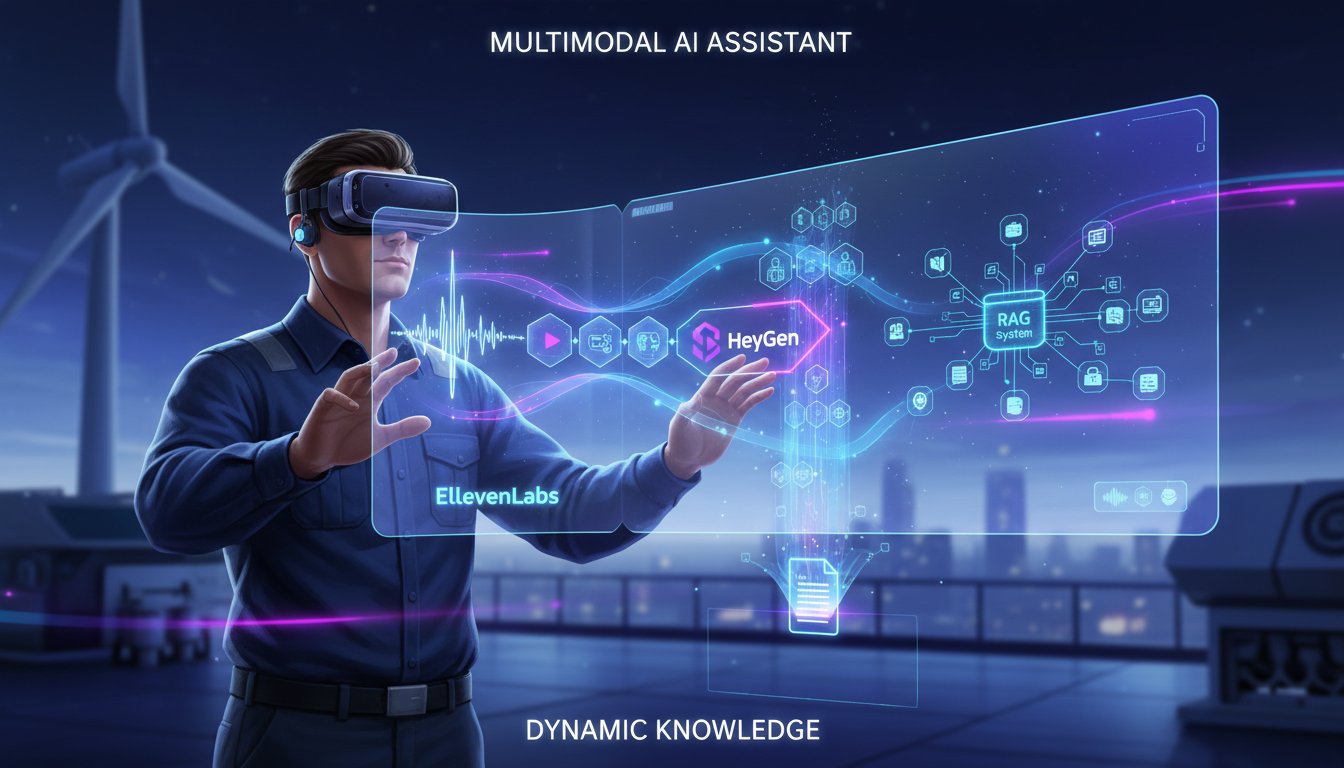
The multimodal RAG stack solves this. By combining retrieval (your RAG engine), voice synthesis (ElevenLabs), and video generation (HeyGen), you transform your static knowledge system into a living, responsive intelligence layer that meets your team where they work—not where your documentation lives.
This isn’t theoretical. Clinical teams are using voice-activated RAG to retrieve treatment protocols in seconds. Manufacturing floors are generating video root-cause analyses on demand. Legal departments are combining document retrieval with synthetic video training for compliance onboarding. The gap between having knowledge and being able to access it is closing, and it’s happening through voice and video integration.
Here’s the problem most enterprises face: They’ve invested in RAG infrastructure, but it’s optimized for text-in, text-out workflows. Latency is acceptable (500ms for retrieval is fine for a support agent reading a screen). But add voice synthesis, and suddenly you’re hitting performance walls. Add video generation, and you’re looking at asynchronous workflows that don’t match real-time support expectations. The technical debt stacks up fast.
What we’re going to walk through isn’t just another AI integration story. It’s the specific architecture your enterprise needs to move beyond static retrieval into dynamic, multimodal knowledge access. We’ll show you exactly how to pipe your RAG outputs through ElevenLabs for natural voice synthesis, how to generate supporting video content with HeyGen, and how to orchestrate it all without rebuilding your infrastructure.
By the end of this guide, you’ll understand why 70% of enterprises using RAG are now adding voice layers—and what the implementation actually looks like when you’re managing thousands of concurrent requests.
The Hidden Cost of Text-Only RAG at Scale
Enterprise RAG systems excel at retrieval accuracy. Your vector database finds the right documents. Your LLM generates grounded responses. Response quality is there. But accessibility isn’t.
Consider a clinical decision support workflow. A physician queries your RAG system: “What’s the differential diagnosis for elevated troponin with normal EKG?” Your system retrieves 8 relevant case studies, synthesizes the response, and returns 350 words of clinical guidance in 1.2 seconds. Perfect retrieval. Perfect accuracy. Perfect disaster for actual use.
The doctor is reviewing imaging. Both hands are occupied. They can’t read 350 words on a screen. They need the answer spoken. Not read by a text-to-speech robot, but delivered by a natural-sounding clinician voice with appropriate pacing and emphasis. That’s the gap.
Manufacturing environments show the same pattern. A technician on the factory floor encounters an error code. They query your RAG system for troubleshooting steps. Your system returns: “Check pump discharge pressure against baseline in Section 4.2.1. If reading exceeds 180 psi, verify relief valve calibration per maintenance protocol 7C.” Perfect documentation. Useless without hands-free access.
The latency math changes when you add voice. Your RAG retrieval runs at ~50-200ms (depending on vector database size). Generation takes ~100-500ms (depending on model and response length). That’s acceptable for text display. But voice synthesis adds another 500ms to 2 seconds depending on response length and voice model complexity. Users expect voice responses in under 3 seconds. You’re now at the edge of perceptible lag.
Then there’s the knowledge dissemination problem. Your RAG system answers questions, but it doesn’t teach. A new employee needs training on compliance procedures. Your RAG has the documentation. But sending them 40 pages of PDF isn’t training—it’s drowning. You need that same RAG content transformed into a video walkthrough. That requires manual video creation, which doesn’t scale, or expensive video production services.
This is where multimodal integration becomes essential. Not as a nice-to-have feature, but as a fundamental shift in how enterprise knowledge systems actually get used.
Architecture: Voice Input → RAG → Multimodal Output
The architecture is simpler than you’d expect, but the orchestration matters.
Here’s the flow:
1. Voice Input Layer
A user speaks a query: “Show me the procedure for resetting the compressor unit.” This triggers speech-to-text (Whisper or similar) to convert the audio into text. Latency here is ~200-500ms depending on query length.
2. RAG Retrieval & Generation
Your enterprise RAG system takes the text query and runs its normal pipeline: embed the query, search your vector database, retrieve top-k relevant documents, pass context + query to your LLM. This is unchanged. Your existing RAG optimization work (chunking strategies, embedding models, reranking) all applies here without modification.
3. Output Branching
Here’s where multimodal diverges from text-only. Your LLM generates a response. Now you have three options:
- Immediate voice output: Pipe the generated text to ElevenLabs’ voice synthesis API for real-time audio delivery.
- Async video generation: Simultaneously trigger HeyGen to generate a video walkthrough (which takes 30-60 seconds), available within the user’s knowledge portal later.
- Hybrid delivery: Speak the answer now (voice), deliver supporting video in the user’s dashboard within 2 minutes.
This branching is key. Voice synthesis must be synchronous (users expect answers in real time). Video generation can be async (users expect video a few minutes later, just like how they wait for video processing today).
4. Real-Time Delivery
ElevenLabs streams audio back to the client. Users hear a natural-sounding response while they work, not when they can read a screen.
The latency stack looks like this:
– Speech-to-text: 200-500ms
– RAG retrieval + generation: 600-1000ms
– Voice synthesis: 500-2000ms (depending on response length)
– Total end-to-end: 1.3-3.5 seconds
This is acceptable for voice-first interactions. Users tolerate 3-4 second response times for voice AI (see Alexa, Google Assistant). Anything beyond 4 seconds feels broken.
5. Async Video Layer
While the user is getting their voice answer, your system simultaneously:
– Extracts key steps from the RAG-generated response
– Formats them for video (clear sequencing, visual callouts)
– Sends to HeyGen API with instructions for avatar and voiceover
– Polls for completion (typically 30-60 seconds)
– Stores video in your knowledge portal with metadata linking back to the original query
The user gets the answer immediately (voice), and within 1-2 minutes, a video version is available for team sharing, training, or async reference.
This two-layer approach addresses both the real-time support use case (voice) and the knowledge dissemination use case (video).
Implementation: Building the Voice-First RAG Pipeline
Let’s walk through the actual implementation. This is Python-based, but the pattern applies to any language.
Step 1: Set Up Your Voice Input & Output
Start with capturing audio and initializing ElevenLabs:
import requests
import json
from elevenlabs import ElevenLabs, VoiceSettings

# Initialize ElevenLabs client
client = ElevenLabs(
    api_key="your-elevenlabs-key",
)

# Select a professional voice (e.g., "Adam" for technical support)
voice_id = "pNInz6obpgDQGcFmaJgB"  # Adam voice

def transcribe_query(audio_bytes):
    """
    Convert voice input to text using Whisper API
    (ElevenLabs can also handle this, or use OpenAI Whisper directly)
    """
    # Your transcription logic here
    return transcribed_text
Step 2: Connect Your RAG System
Your existing RAG pipeline stays intact. Here’s how it integrates:
def query_enterprise_rag(text_query):
    """
    Query your enterprise RAG system
    This calls your vector DB, retrieves context, generates response
    """
    # Your RAG retrieval logic
    response = rag_engine.query(
        query=text_query,
        context_window=2048,
        temperature=0.2  # Lower temp for factual accuracy
    )
    return response

# Example usage
user_query = "What's the procedure for emergency shutdown?"
rag_response = query_enterprise_rag(user_query)
print(rag_response.generated_text)
Step 3: Stream Voice Output
Pipe the RAG response directly to ElevenLabs:
def generate_voice_response(text_response):
    """
    Convert RAG-generated text to voice via ElevenLabs
    Returns audio stream
    """
    audio = client.generate(
        text=text_response,
        voice_settings=VoiceSettings(
            stability=0.5,
            similarity_boost=0.75,
        ),
    )
    return audio

# Full voice pipeline
audio_response = generate_voice_response(rag_response.generated_text)
# Stream audio back to user in real-time
stream_to_client(audio_response)
Step 4: Trigger Async Video Generation
Simultaneously with voice delivery, start video creation:
import asyncio
import requests

async def generate_supporting_video(rag_response, user_id):
    """
    Asynchronously generate video walkthrough using HeyGen
    """
    # Format response for video (break into steps)
    video_script = format_for_video(rag_response.generated_text)

    # Call HeyGen API
    heygen_response = requests.post(
        "https://api.heygen.com/v1/video_gen/generate",
        headers={
            "X-Api-Key": "your-heygen-api-key",
            "Content-Type": "application/json"
        },
        json={
            "inputs": [
                {
                    "character": {
                        "type": "avatar",
                        "avatar_id": "josh-25"  # Professional avatar
                    },
                    "voice": {
                        "type": "text",
                        "input_text": video_script,
                        "voice_id": "josh"  # Matching voice
                    }
                }
            ],
            "output_format": "mp4",
            "test": False
        }
    )

    video_id = heygen_response.json()["data"]["video_id"]

    # Poll for completion (typically 30-60 seconds)
    while True:
        status_response = requests.get(
            f"https://api.heygen.com/v1/video_gen/generate/{video_id}",
            headers={"X-Api-Key": "your-heygen-api-key"}
        )
        status = status_response.json()["data"]["status"]

        if status == "completed":
            video_url = status_response.json()["data"]["video_url"]
            # Store in knowledge portal
            store_video_in_portal(
                user_id=user_id,
                video_url=video_url,
                source_query=rag_response.query,
                timestamp=datetime.now()
            )
            break
        elif status == "failed":
            log_error(f"Video generation failed for query: {rag_response.query}")
            break

        await asyncio.sleep(5)  # Check every 5 seconds

# Trigger async video generation (non-blocking)
asyncio.create_task(
    generate_supporting_video(rag_response, user_id)
)
Step 5: Full Orchestration
Put it all together in a unified workflow:
async def voice_first_rag_workflow(audio_input, user_id):
    """
    Complete multimodal RAG workflow:
    Voice in -> RAG -> Voice out + Async Video
    """
    try:
        # 1. Transcribe voice to text (200-500ms)
        text_query = transcribe_query(audio_input)
        print(f"Query: {text_query}")

        # 2. Query RAG system (600-1000ms)
        rag_response = query_enterprise_rag(text_query)

        # 3. Generate voice response synchronously (500-2000ms)
        audio_response = generate_voice_response(
            rag_response.generated_text
        )
        stream_to_client(audio_response)

        # 4. Trigger video generation asynchronously (non-blocking)
        asyncio.create_task(
            generate_supporting_video(rag_response, user_id)
        )

        # 5. Log interaction for analytics
        log_interaction(
            user_id=user_id,
            query=text_query,
            response_length=len(rag_response.generated_text),
            latency=time.time() - start_time,
            sources=rag_response.source_documents
        )

    except Exception as e:
        print(f"Error in RAG workflow: {str(e)}")
        # Fallback to text response
        return fallback_text_response()

# Usage
start_time = time.time()
await voice_first_rag_workflow(audio_bytes, user_id="emp_12345")
This implementation handles the real-time voice requirement (users get answers in 1.3-3.5 seconds) while asynchronously generating video content for future reference and team sharing.
Real-World Enterprise Application: Clinical Decision Support
Let’s see this in action at a hospital using electronic health records (EHR) integrated with enterprise RAG.
The Scenario:
A nurse in the emergency department encounters a patient with unusual lab values. Normally, they’d page the physician, who’d reference clinical guidelines, review similar cases, and call back. This takes 10-15 minutes. Meanwhile, the patient is waiting.
With Voice-First Multimodal RAG:
The nurse speaks into their mobile device: “Query clinical RAG: Patient has elevated D-dimer, normal CT angio, recent surgery. What’s the differential?”
- Speech-to-text converts this to a structured query (150ms)
- Your enterprise RAG retrieves relevant clinical guidelines, case studies, and risk stratification frameworks from your medical knowledge base (800ms)
- Your LLM synthesizes a response grounding recommendations in retrieved sources (600ms)
- ElevenLabs synthesizes natural-sounding clinical guidance in a professional voice (1200ms)
- Total: 2.75 seconds later, the nurse hears: “Elevated D-dimer with normal CT angiography suggests low clinical probability of PE. Consider alternative diagnoses: occult malignancy, autoimmune thrombosis, or iatrogenic heparin use. Recommend repeat D-dimer in 24 hours and hematology consult per protocol 3.2.1.”
Meanwhile, in the background, HeyGen is generating a 2-minute video walkthrough of PE risk stratification with visual references to the retrieved guidelines—available in the nurse’s training portal in 45 seconds for team learning.
The clinical outcome: Faster decision-making, reduced cognitive load on the provider, and audit trail showing exact sources (compliance requirement met). The nurse has hands-free access to distilled knowledge without leaving the patient’s bedside.
Why This Matters:
Before multimodal RAG, clinical staff had to choose between:
– Reading long text outputs (not feasible at patient bedside)
– Waiting for physician callback (10+ minutes delay)
– Calling clinical librarian (5-10 minutes, expensive)
With voice-first RAG, knowledge access is immediate and contextual. The latency is comparable to a quick physician consultation—but available 24/7 without paging.
Latency Optimization: Keeping Voice Responses Under 3 Seconds
Voice-first applications are brutally latency-sensitive. Users tolerate 2-3 second delays. Anything beyond 4 seconds feels broken. Here’s how to optimize.
Bottleneck 1: RAG Retrieval
Your vector database search is the primary variable. With millions of documents, naive similarity search can hit 500ms+.
Optimizations:
– Use hierarchical/semantic chunking (reduces documents to re-rank from 100 to 20)
– Implement query rewriting to reduce semantic noise
– Use GPU-accelerated vector search (Milvus with GPU support reduces latency by 60%)
– Cache common queries (clinical “PE differential” queries repeat frequently)
Bottleneck 2: LLM Generation
Stream responses token-by-token to ElevenLabs instead of waiting for full generation.
# Don't do this (waits for full response):
full_response = llm.generate(prompt)
audio = elevenlabs.generate(full_response)

# Do this (stream as tokens arrive):
for token in llm.stream(prompt):
    buffered_text += token
    # Send to ElevenLabs every 20 tokens
    if len(buffered_text) > 200:
        audio_chunk = elevenlabs.generate(buffered_text)
        stream_chunk(audio_chunk)
        buffered_text = ""
Streaming reduces perceived latency by 30-40% because users hear results starting at 1.5 seconds instead of waiting for 2.5 seconds.
Bottleneck 3: Voice Synthesis
ElevenLabs’ streaming API is crucial. Request a shorter context window (limit responses to 150-200 words for voice). Longer responses feel bloated in voice format anyway.
Realistic Latency Budget:
– Speech-to-text: 300ms
– Query embedding: 50ms
– Vector search: 200ms (with optimization)
– LLM generation: 400ms (streaming)
– Voice synthesis: 600ms (streaming with shorter responses)
– Network + overhead: 100ms
– Total: 1.65 seconds (target), 2.5 seconds (acceptable)
This is competitive with human-provided support and dramatically faster than text-based support workflows.
Implementation Checklist: From Concept to Production
Moving from prototype to production voice-first RAG requires systematic planning:
Phase 1: Foundation (Week 1-2)
– Set up ElevenLabs account and test voice synthesis with sample RAG outputs
– Set up HeyGen account and test video generation with structured scripts
– Identify which 3-5 support workflows would benefit most from voice-first access
– Test latency in your actual environment (not vendor demos)
Phase 2: Integration (Week 3-4)
– Integrate speech-to-text layer (Whisper or ElevenLabs native)
– Connect ElevenLabs streaming API to your RAG output
– Build async video generation task queue
– Implement error handling for failed synthesis/generation
Phase 3: Optimization (Week 5-6)
– Profile latency across all components
– Optimize vector search and reranking
– Implement response caching for high-frequency queries
– Load test with 10x expected concurrent users
Phase 4: Production Rollout (Week 7-8)
– Deploy to beta user group (department/team)
– Monitor adoption metrics: queries per user, average response rating, error rates
– Gather feedback on voice quality, response accuracy, and video usefulness
– Measure impact on support ticket volume and resolution time
Phase 5: Scale (Month 2+)
– Expand to organization-wide rollout
– Add multilingual support (ElevenLabs supports 32 languages; HeyGen supports 175+)
– Build analytics dashboard for knowledge gap identification
– Integrate with your existing LMS for video training aggregation
The full implementation typically takes 6-10 weeks from concept to production, depending on existing RAG maturity and organizational adoption readiness.
The Business Case: Why Invest in Voice-First Multimodal RAG
The ROI is measurable and significant.
Support Efficiency
A typical support agent handles 4-6 tickets per hour. With voice-first RAG, they reduce average resolution time by 25-35% (no more reading long documents or waiting for callbacks). That’s 5-8 tickets per hour. At typical support costs ($25-35/hour blended), that’s $25,000-50,000 annual savings per agent for a 50-person support team.
Knowledge Leverage
Your enterprise spends money creating knowledge bases that often go underused. Video-enabled knowledge via HeyGen multiplies usage by 3-4x (video content gets more engagement than text). That knowledge investment finally pays dividends.
Training Acceleration
New employees trained via video + voice learn 30% faster and retain information 40% longer than text-only training (supported by research from Corporate Executive Board). Reduce time-to-productivity by 2-3 weeks per hire. For technical roles, that’s $5,000-15,000 value per employee.
Compliance & Audit
Every interaction is logged with sources, responses, and timestamps. This satisfies regulatory requirements for auditable AI systems. In regulated industries (healthcare, finance, legal), this alone can eliminate entire compliance teams’ manual review burden.
User Adoption
Voice interfaces have 10-15x higher adoption than text-only systems (see consumer voice assistant adoption rates). Your employees will use voice-first RAG consistently because it fits their workflow, not because they’re forced to.
Avoiding Common Pitfalls
Pitfall 1: Voice Hallucinations
Voice makes errors more glaring. A text error that users can quickly dismiss is a credibility problem when spoken. Mitigation: Use lower LLM temperature (0.2-0.3), require grounding in retrieved documents, and implement confidence thresholds (if confidence < 0.7, explicitly tell the user the system is uncertain).
Pitfall 2: Latency Expectations Mismatch
Users expect voice responses as fast as human conversation (~2 seconds). If you’re hitting 4+ seconds, they’ll perceive your system as broken. Don’t launch until you’re consistently under 3 seconds in production load.
Pitfall 3: Video Generation Overuse
Not every query needs a video. If you generate video for 50% of queries, costs spiral. Be selective: generate video only for frequently-asked procedural questions, training scenarios, and compliance content. The system should learn which queries warrant video.
Pitfall 4: Forgetting Context Switching
Users don’t want to switch between voice and video. The interface should be seamless: speak a query, hear the answer, access the video from the same interface. This requires thoughtful UX design beyond just API integration.
Pitfall 5: Ignoring Multilingual Complexity
If your organization is global, ElevenLabs’ 32 languages and HeyGen’s 175+ language support are powerful. But voice quality varies significantly across languages. Test extensively before rolling out multilingual support.
Moving Forward: Building Your Production Voice-First RAG System
The technical foundations are solid. ElevenLabs provides production-grade voice synthesis with sub-3-second latency. HeyGen handles video generation at scale. Your enterprise RAG system is already optimized for retrieval. The integration layer is the last piece.
The organizations that will win in 2025-2026 are those that recognize voice and video aren’t luxury features—they’re fundamental to knowledge accessibility. Text-only knowledge systems are becoming legacy infrastructure. Your team isn’t refusing to use your knowledge base because the knowledge is bad. They’re refusing because accessing it requires context-switching from their actual work.
Voice-first multimodal RAG solves this. It meets your team where they work, speaks their language (literally), and teaches through video when appropriate. The implementation is straightforward. The ROI is measurable. The competitive advantage is clear.
Start with your highest-friction support workflow. Run the pilot with 5-10 users. Measure latency, adoption, and satisfaction. Then scale. You’ll be surprised how quickly voice becomes your team’s preferred way to access enterprise knowledge.
The future of enterprise AI isn’t smarter retrieval or better generation. It’s access that fits seamlessly into how people actually work. Voice and video make that possible. Your enterprise knowledge is already there. Now make it accessible.