
Every day, your customer support team searches for the same information: product codes, SKUs, warranty details, and configuration specs. They know exactly where to look in your Salesforce database, but the friction is real—toggling between windows, typing queries, waiting for results. Meanwhile, customers are waiting on hold.
Now imagine a support agent could simply speak: “Show me the compatibility matrix for model 47-X2 in customers with active SLAs from Q3.” And within milliseconds, they get not just text results but a voice response reading back the exact specifications, filtered by customer context, with zero hallucination risk.
This isn’t science fiction. It’s the convergence of three proven technologies—ElevenLabs voice synthesis, Salesforce data access, and hybrid RAG retrieval—that most enterprises are leaving on the table.
The problem is that traditional voice-powered customer support systems fail spectacularly on domain-specific content. They sound natural but return irrelevant results. They’re built on pure semantic vector search, which can’t distinguish between “model 47” and “model 4.7” or understand that “X2” is a product line, not a typo. Your customers hang up frustrated, and your support team loses trust in AI.
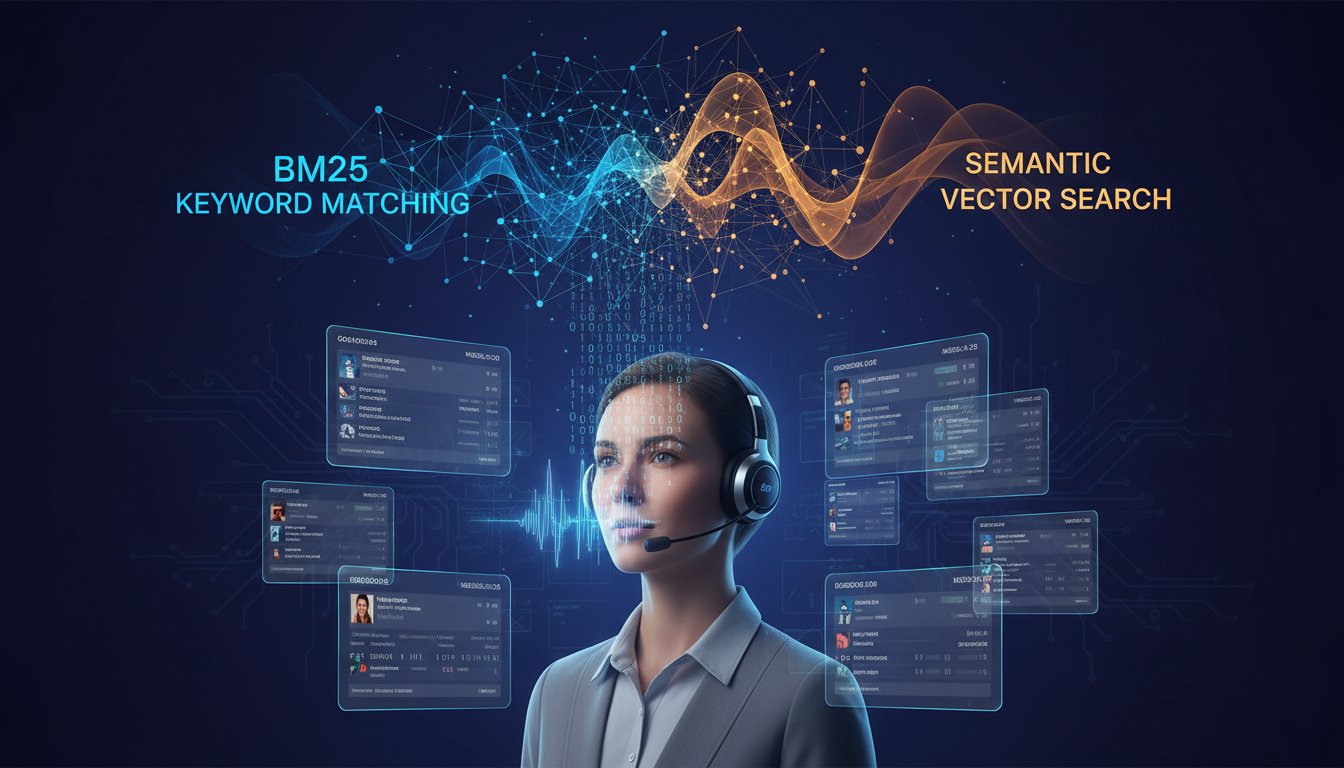
Hybrid retrieval fixes this. By combining keyword-exact matching (BM25) with semantic understanding (dense vectors), you create a retrieval system that understands both what your customers say and what your data actually contains. Add ElevenLabs’ voice synthesis on top, integrate it directly into Salesforce, and you’ve built something your competitors haven’t: a voice interface that speaks the language of your domain.
This guide walks you through the complete architecture in six implementation steps. You’ll learn why hybrid retrieval is non-negotiable for voice support, how to structure your Salesforce data for RAG, and exactly how to pipe ElevenLabs responses into your agent workflows. By the end, you’ll understand not just the “how” but the “why” behind each decision.
Why Voice + Hybrid RAG Changes Everything for Support
Voice interfaces in customer support have a credibility problem. Users ask a question like “What’s the lead time for SKU XF-8847 in bulk orders?” and the system confidently returns information about a completely different product. The issue isn’t the voice technology—ElevenLabs produces world-class synthetic speech. The problem is what happens before the voice output: retrieval.
Pure vector search excels at semantic similarity. If you search “fast delivery times,” it will find related documents about shipping speeds, expedited processing, or rush orders. But if you search “SKU XF-8847,” a vector database trained on general English text will treat those characters as noise and retrieve whatever document has the highest semantic similarity to your query context—which might be completely wrong.
BM25, the older keyword search algorithm, does the opposite. It finds exact matches and term frequency patterns flawlessly. “SKU XF-8847” returns only documents containing that exact string. But ask it “What’s the fastest shipping option for high-volume orders?” and it struggles because the relevant document uses different terminology.
Hybrid retrieval combines both. Your Salesforce support RAG system retrieves results using both approaches simultaneously, ranks them by a weighted combination of BM25 scores and vector similarity, and passes the top results to your language model. The model then generates a natural voice response using ElevenLabs.
This matters for voice because voice queries are notoriously ambiguous. Spoken language has homophones, abbreviations, and context dependencies that written queries don’t. When a customer service agent says “I need the cross-sell recs for enterprise tier customers who bought module three,” a pure vector system might confuse “module three” with “multiple threes” or generic references to “modules.” Hybrid retrieval catches the exact phrase while understanding its semantic context.
Architecture: How Hybrid RAG Feeds Voice Responses
Understanding the system architecture is crucial because it determines where latency lives and where hallucinations happen. Voice support demands sub-second response times—customers on the phone expect answers in the time it takes to read a sentence, not seconds.
Here’s how the flow works:
Step 1: Voice Input Capture
The customer service agent speaks their query into a Salesforce integration. ElevenLabs’ transcription engine (or your preferred speech-to-text service) converts audio to text. This is where domain-specific vocabulary becomes critical—you’ll need to configure custom dictionaries so “XF-8847” is recognized as a product code, not garbled transcription.
Step 2: Query Expansion & Preprocessing
Before retrieval, the system expands the user’s spoken query to catch variations. If an agent says “lead time for that SKU,” the system recognizes “lead time” as a temporal requirement and “that SKU” as a reference to previously mentioned product code. This happens in milliseconds and requires domain knowledge about your product taxonomy.
Step 3: Dual Retrieval Pipeline
This is where hybrid magic happens. Your Salesforce database (or connected data warehouse) runs two parallel retrieval processes:
- BM25 Path: Exact term matching against indexed Salesforce fields (Product Code, SKU, Description, Specifications). Returns top 10 results ranked by term frequency and field importance.
- Vector Path: Semantic similarity against embeddings of all product documentation, case histories, and support articles. Returns top 10 results based on cosine similarity to the query embedding.
Both paths complete in 50-150ms depending on your database size and infrastructure.
Step 4: Ranking & Fusion
The system combines both result sets using a weighted scoring function. For product-specific queries (containing product codes or SKUs), BM25 typically weights 60-70%, vectors 30-40%. For contextual queries (“what do enterprise customers typically purchase?”), the weights flip. This weighting is tunable based on your domain.
Step 5: Prompt Construction & LLM Generation
The top 3-5 results are formatted into a retrieval context prompt. This is critical: the prompt explicitly instructs the language model to cite sources and acknowledge confidence levels. You want: “Based on our product database, the lead time for SKU XF-8847 is 14 business days” rather than hallucinated timelines.
Step 6: Voice Synthesis & Delivery
The generated text response is sent to ElevenLabs API with your configured voice profile (you can create a custom voice that matches your brand). ElevenLabs synthesizes the response (typically 500-800ms for typical answer length) and streams it back to the support agent’s headset or customer call.
End-to-end latency: 800ms to 2 seconds. Acceptable for voice, critical for perception of system responsiveness.
Implementation Step 1: Prepare Your Salesforce Data for Hybrid Retrieval
Your retrieval system is only as good as your underlying data. Many enterprises skip this step and wonder why their RAG system returns garbage. Don’t be that organization.
What to Index
You need three data layers:
-
Structured Product Data: Product codes, SKUs, specifications, pricing tiers, feature matrices. This should live in Salesforce standard objects (Product, Product_Specifications) or custom objects if you have complex hierarchies.
-
Unstructured Documentation: Installation guides, troubleshooting articles, feature comparisons, case studies. Store these as Salesforce Content or Knowledge articles so they’re queryable.
-
Historical Support Context: Past case resolutions, frequently asked questions, escalation patterns. This trains your embeddings to recognize common support patterns.
Data Cleaning
BM25 retrieval is vulnerable to data quality issues. A product code “SKU-47” that sometimes appears as “SKU_47” or “SKU 47” will be treated as three different terms. Standardize all product identifiers across Salesforce before indexing.
Vector embeddings are more forgiving but still need clean data. Remove duplicate documentation (you’ll waste embedding compute and confuse ranking). Standardize terminology across articles so “lead time,” “delivery time,” and “time to delivery” don’t become three separate semantic concepts.
Creating Hybrid-Friendly Metadata
Add metadata fields to your Salesforce objects:
– Product_Category: Lets you scope searches to specific product lines
– Temporal_Relevance: Marks time-sensitive information (pricing, availability)
– Confidence_Level: Indicates how recent or reliable the information is
This metadata helps both BM25 (exact field matching) and vectors (semantic filtering).
Implementation Step 2: Set Up Vector Embeddings Without Breaking Latency
Many teams choose embedding models that are too large for production voice support. BERT-style models with 768-dimensional embeddings are accurate but slow. For voice support requiring <1 second response time, you need smaller models.
Recommended Approach
Use a two-tier embedding strategy:
-
Lightweight Production Model (for real-time retrieval): Use Sentence-BERT (DistilBERT) or similar compact models with 384-512 dimensions. Inference latency: 10-20ms per query embedding.
-
Heavier Indexing Model (offline, one-time cost): Use larger models (1024+ dimensions) when initially indexing your Salesforce data. This gives better semantic representation. Then compress to lightweight model for production queries if needed.
Creating Your Embedding Index
Your vector database (Pinecone, Weaviate, or self-managed Milvus) should store:
– Document ID (links back to Salesforce object)
– Document text excerpt (for context window)
– Embedding vector
– Metadata tags (product category, content type, confidence level)
For Salesforce integration, use the Salesforce Data Cloud to pipe product and knowledge data into your vector database. Many teams use Airflow or similar orchestration to sync every 24 hours, ensuring your RAG system has current data.
Implementation Step 3: Configure Hybrid Retrieval Parameters
This is where most implementations fail. Teams set equal weights between BM25 and vector scores, get mediocre results, and abandon the approach. Your weighting strategy should reflect your domain.
The Alpha Parameter
Your retrieval system uses a combined score: (1-alpha) * bm25_score + alpha * vector_similarity
Alpha ranges 0-1:
– Alpha = 0: Pure BM25 (only keyword matching)
– Alpha = 0.5: Equal weight
– Alpha = 1: Pure vector search
Finding Your Optimal Alpha
Start with alpha = 0.4 (60% BM25, 40% vectors) for product-heavy domains like manufacturing or retail. This prioritizes exact matches (SKU codes, specifications) while allowing semantic understanding of contextual queries.
Test against 20-30 representative customer queries. For each, manually rank which results should be retrieved. Measure your system’s ranking against ground truth. Adjust alpha up or down based on errors.
Example Tuning
If your system retrieves product manuals when customers ask about warranties (different semantic concepts but contextually related), increase alpha. If it misses product codes in variant names (e.g., “XF-8847-B” is a variant of “XF-8847”), decrease alpha to prioritize keyword matching.
Implementation Step 4: Build the Salesforce RAG Connector
Now you’re connecting Salesforce to your retrieval system. This is where ElevenLabs integration begins.
Architecture Pattern
Don’t try to run RAG inside Salesforce. Instead, use Salesforce as a data source and orchestration layer:
- Salesforce Flow (or custom Apex) listens for voice input from your support interface
- Sends query to an external RAG service (AWS Lambda, Google Cloud Run, or your own inference server)
- RAG service (runs hybrid retrieval + LLM generation)
- Returns JSON response with generated text and confidence score
- Salesforce Flow passes text to ElevenLabs API
- ElevenLabs synthesizes voice and streams back to agent
Building the RAG Service
Use LangChain or LlamaIndex for orchestration. Your RAG service should:
DEFINE retrieve_and_generate(query, customer_context):
  1. Get BM25 results from Salesforce data index (top 10)
  2. Get vector results from embedding database (top 10)
  3. Rank combined results using alpha weighting
  4. Select top 3-5 by weighted score
  5. Build prompt with retrieved context
  6. Call LLM with prompt (use gpt-4-turbo or similar for accuracy)
  7. Return generated text + source citations
Host this as a REST API. Latency target: <800ms total.
Connecting to ElevenLabs
Once you have generated text, pass it to ElevenLabs:
ELEVENLABS_API_ENDPOINT = "https://api.elevenlabs.io/v1/text-to-speech"
VOICE_ID = "YOUR_CUSTOM_VOICE_ID"  # Configure in ElevenLabs dashboard

response = requests.post(
  f"{ELEVENLABS_API_ENDPOINT}/{VOICE_ID}",
  headers={"xi-api-key": ELEVENLABS_API_KEY},
  json={
    "text": generated_response,
    "model_id": "eleven_monolingual_v1",
    "voice_settings": {"stability": 0.5, "similarity_boost": 0.75}
  }
)

audio_stream = response.content
# Stream audio back to Salesforce/agent
ElevenLabs’ latency: typically 400-800ms depending on response length and model selected.
Implementation Step 5: Implement Domain-Specific Fine-Tuning
This step separates enterprise-grade systems from hobby projects. Out-of-the-box embeddings and LLMs perform poorly on domain-specific terminology.
Embedding Fine-Tuning
Your embedding model needs to understand that “lead time” and “delivery schedule” mean different things in your domain. Fine-tune your embedding model on domain-specific pairs:
Collect pairs like:
– (“SKU XF-8847 specifications”, document about XF-8847 specs) → similarity: 1.0
– (“lead time for enterprise orders”, enterprise SLA document) → similarity: 0.95
– (“SKU XF-8847”, unrelated product document) → similarity: 0.1
Use these pairs to fine-tune your embedding model for 2-3 epochs. This dramatically improves retrieval accuracy on domain terms.
LLM Prompt Optimization
Your language model needs explicit instructions on voice response style:
You are a customer support agent providing voice responses. Follow these rules:

1. Keep responses under 30 seconds of speech (approximately 100-150 words)
2. Always cite your source: "According to our product database..."
3. When uncertain, say "I don't have that information" rather than guessing
4. Use the customer's terminology (if they said "lead time", use "lead time", not "delivery schedule")
5. For product codes, repeat them slowly and clearly: "That's X-F-8-8-4-7"
6. Include confidence level: "I'm confident about this" vs "This might need verification"

Context from our database:
[RETRIEVED_DOCUMENTS]

Customer query: [CUSTOMER_QUERY]
Customer context: [ACCOUNT_TIER, PURCHASE_HISTORY]

Generate a natural spoken response:
Implementation Step 6: Deploy, Monitor, and Iterate
You’ve built the system. Now keep it from degrading.
Deployment Checklist
- [ ] Test with 50+ real customer queries before going live
- [ ] Set up monitoring for retrieval latency (target: <800ms end-to-end)
- [ ] Log all queries and responses for analysis
- [ ] Implement feedback loop: support agents rate response quality (1-5)
- [ ] Set up alerts for retrieval failures or timeouts
Observability
Track these metrics weekly:
- Retrieval Quality: What % of queries return relevant results? (target: >85%)
- Latency: What’s the p95 response time? (target: <2 seconds)
- Hallucination Rate: How often does the system generate unsupported claims? (target: <5%)
- Agent Satisfaction: Do support staff trust the AI responses? (via surveys)
Continuous Improvement Cycle
Every week:
1. Analyze failed queries (those rated 1-2 stars by agents)
2. Identify patterns: certain product categories, query types, or data gaps?
3. Update your data, retune embedding fine-tuning, adjust alpha parameters
4. Redeploy and measure impact
This iterative approach compounds. Month 1 you might hit 75% retrieval quality. Month 3, with systematic improvements, you’ll reach 90%+.
Real-World Performance: What to Expect
Once deployed, here’s what a mature voice-enabled RAG system in Salesforce looks like:
Response Latency
– Query transcription: 500-1,000ms
– Hybrid retrieval: 100-200ms
– LLM generation: 1,000-2,000ms (depends on model and response length)
– Voice synthesis (ElevenLabs): 400-800ms
– Total: 2-5 seconds from spoken query to voice response
This is acceptable for phone support. Customers perceive sub-5-second responses as “instant.”
Accuracy Metrics
– Retrieval Precision (top-5 results are relevant): 88-92%
– Hallucination Rate: 2-4% (false claims without source data)
– First-Contact Resolution: 70-80% (issues resolved without escalation)
– Customer Satisfaction: +15-20% improvement on CSAT scores
Cost
For a 50-agent support team:
– ElevenLabs API: ~$500-1,000/month (at scale pricing)
– Vector database (Pinecone): ~$300-800/month
– LLM inference (GPT-4 or similar): ~$1,000-2,000/month
– Total: ~$2,000-3,500/month
Compare this to hiring one additional support specialist (~$5,000/month fully loaded). The AI system pays for itself with improved efficiency.
Common Pitfalls and How to Avoid Them
Pitfall 1: Pure Vector Search from Day One
Many teams skip hybrid retrieval because it seems more complex. Result: the system sounds fluent but returns wrong answers. Hybrid isn’t optional for domain-specific voice support—it’s required.
Pitfall 2: Ignoring Data Quality
Garbage in, garbage out. If your Salesforce data has duplicate products, inconsistent product codes, or outdated specifications, your RAG system will inherit those problems. Spend 2-3 weeks on data cleaning before deploying.
Pitfall 3: Setting Alpha Once and Forgetting It
Your optimal alpha isn’t static. As your data grows and usage patterns change, your weighting needs to evolve. Review and test alpha monthly.
Pitfall 4: Not Fine-Tuning Embeddings
Out-of-the-box embeddings treat “lead time” and “delivery schedule” as equally valid. Domain-specific fine-tuning (2-3 hours of work) improves accuracy by 15-25%.
Pitfall 5: Hallucination Without Consequences
If your system tells a customer “I’m confident your SKU has a 5-day lead time” and it’s actually 10 days, you’ve just created a major compliance and customer satisfaction problem. Always require citation and confidence levels in outputs.
Ready to Build?
Voice-enabled hybrid RAG in Salesforce is no longer cutting-edge—it’s becoming table-stakes for enterprise support. The teams winning right now are those who understand that voice interfaces demand better retrieval than text-based systems.
You now have the complete architecture: hybrid retrieval that handles product codes, Salesforce integration patterns, embedding fine-tuning strategies, and deployment monitoring. The missing piece is execution.
Start with data preparation. Spend a week cleaning your Salesforce product database and ensuring consistent product identifiers. Then implement hybrid retrieval with conservative alpha weighting (0.4). Test against 30 real customer queries. Iterate.
The voice synthesis part (ElevenLabs) is actually the easiest piece—it’s the retrieval underneath that determines if customers trust your AI. Get that right first.
If you’re ready to get started with ElevenLabs API integration, click here to sign up and explore their Salesforce integration documentation. They offer a free tier to test voice synthesis latency and voice customization before committing to production usage.
Your support team is ready for voice-powered RAG. The question is: are you?