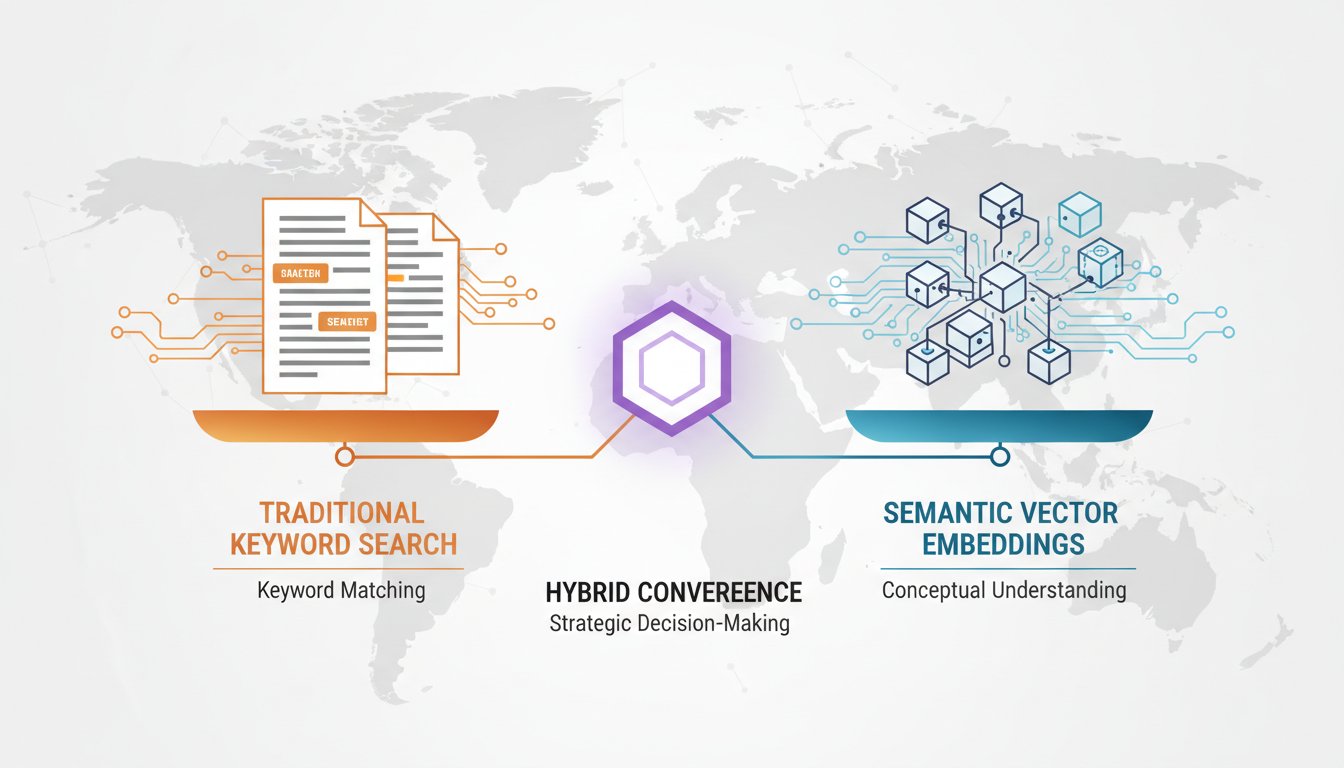

The retrieval decision you make at the start of your RAG project quietly determines whether your system succeeds or fails at scale. It’s the choice between keyword-based search (BM25), semantic vector embeddings, or a hybrid approach that uses both. On the surface, this seems technical. In reality, it’s a strategic decision that impacts retrieval accuracy, latency, infrastructure costs, and ultimately whether your AI system delivers business value or becomes another failed enterprise project.
The problem is that most organizations approach this decision with incomplete information. They either go all-in on vector embeddings because it sounds modern, only to discover that vector search struggles with exact-match queries and domain-specific terminology. Or they stick with traditional keyword search, missing the semantic understanding that vectors provide for conceptual queries. The companies winning with RAG in 2025 aren’t choosing sides—they’re using hybrid retrieval, where BM25 and dense embeddings work together, each compensating for the other’s blind spots.
The challenge isn’t that hybrid retrieval is new or unproven. Recent research from DeepMind reveals fundamental bottlenecks in pure embedding-based retrieval, confirming what production teams already know: vector-only approaches hit accuracy ceilings. The real challenge is that most teams lack a clear decision framework for implementing hybrid retrieval. They don’t understand when to weight keyword search more heavily, when vectors pull their weight, or how to structure the retrieval pipeline for both low latency and high accuracy.
This guide bridges that gap. You’ll see the exact decision tree enterprise teams use to choose between retrieval methods, understand the latency and accuracy tradeoffs of each approach, and get a step-by-step implementation pattern you can adapt to your RAG architecture. By the end, you’ll have a concrete strategy for building retrieval systems that scale, perform, and actually solve business problems.
The Retrieval Decision: Three Methods, Three Tradeoffs
Let’s establish baseline truth before diving into hybrid approaches. Each retrieval method excels in specific scenarios and fails in others. Understanding these tradeoffs is the foundation of intelligent system design.
BM25: The Precision Champion for Exact Matches
BM25 (Best Matching 25) is a probabilistic keyword-based ranking function that’s been refined over decades. It works by analyzing term frequency and inverse document frequency—essentially, how often a term appears in a document relative to how often it appears across your entire knowledge base.
When BM25 dominates:
– Queries with specific terminology (e.g., “Model XR-450 defect rate”)
– Industry-specific jargon and acronyms (e.g., “HIPAA compliance checklist”)
– Exact product names, serial numbers, or regulatory codes
– Highly structured data with consistent naming conventions
The accuracy problem: BM25 has no understanding of semantic meaning. If your query asks about “contract termination procedures” but your documents use the phrase “end of agreement protocols,” BM25 fails because it’s looking for exact word matches. It’s precise but semantically blind.
Latency advantage: BM25 is exceptionally fast. Even with millions of documents, retrieving top results takes milliseconds. There’s no embedding computation—just fast statistical ranking.
Dense Vector Embeddings: The Semantic Winner for Conceptual Queries
Vector embeddings convert text into high-dimensional numerical representations. Models like OpenAI’s text-embedding-3 or open-source alternatives (SBERT, Jina embeddings) capture semantic meaning, allowing systems to understand that “contract termination procedures” and “end of agreement protocols” are conceptually similar.
When vectors excel:
– Conceptual queries requiring semantic understanding (e.g., “What should our company do about compliance risks?”)
– Queries phrased differently than source documents but meaning the same thing
– Complex multi-step reasoning that needs thematic understanding
– Cross-domain queries where exact terminology doesn’t apply
The accuracy problem: Vectors struggle with exact matches and domain-specific terminology. If your query is “Model XR-450,” a vector system might retrieve documents about similar models (Model XR-449, XR-451) because they’re semantically close, even if you needed the exact model. In manufacturing defect tracking or legal contract analysis, this semantic looseness becomes a liability.
Latency tradeoff: Vector search requires two expensive operations: (1) embedding the query, and (2) searching the vector database. At enterprise scale with millions of documents, vector retrieval often adds 100-300ms of latency compared to BM25’s millisecond response times. Ranker components, which re-score results for relevance, can add another 100-500ms.
The Hybrid Approach: Combining Precision and Semantics
Hybrid retrieval runs both methods simultaneously and combines their results. Typically, the system:
- Runs BM25 retrieval → Returns top 50-100 keyword-matched documents
- Runs vector search → Returns top 50-100 semantically similar documents
- Merges results → Applies ranking algorithms to select the best combined set
Recent production deployments show that hybrid retrieval outperforms both methods individually. The reason is simple: they compensate for each other’s blind spots. BM25 catches exact matches that vectors miss. Vectors catch semantic relationships that keywords ignore.
Why hybrid retrieval wins:
– Precision from BM25 for exact terminology + semantics from vectors for conceptual understanding
– More robust against varied phrasing and domain-specific language
– Graceful degradation: if one method fails, the other still returns results
The latency reality: Hybrid retrieval is faster than pure vector search because BM25 is extremely efficient. Combined latency typically ranges from 50-200ms, much faster than vector-only approaches. The key is implementing smart caching and query-specific weighting to avoid running both methods for every query.
The Hybrid Retrieval Decision Tree: When to Use What
Now that we understand the tradeoffs, here’s the decision framework enterprise teams use to architect their retrieval systems.
Start with This Simple Question: What Matters More—Exact Precision or Semantic Understanding?
If your use case requires exact matches:
– Legal contract analysis (finding specific clauses like “Material Adverse Change”)
– Manufacturing defect tracking (pinpointing exact product SKUs or serial numbers)
– Healthcare records (finding specific diagnoses, medications, or procedure codes)
– Financial compliance (locating exact regulatory code references like “15 U.S.C. 78m”)
→ Lean heavily on BM25, add vectors for robustness (70% BM25, 30% vector weighting)
If your use case requires semantic reasoning:
– Customer support (understanding intent behind varied phrasing)
– Research synthesis (connecting related concepts across documents)
– Risk assessment (finding thematic connections to compliance threats)
– Trend analysis (identifying patterns across unstructured reports)
→ Lean heavily on vectors, add BM25 as a safety net (70% vector, 30% BM25 weighting)
If your use case blends both:
– Customer support for regulated industries (exact procedure references + semantic understanding of customer intent)
– Enterprise search across mixed data (structured + unstructured documents)
– Healthcare clinical decision support (exact test results + semantic pattern recognition)
→ Use balanced hybrid retrieval (50% BM25, 50% vector weighting, or dynamic weighting per query)
Implementation Pattern: Building Hybrid Retrieval in Production
Let’s move from theory to implementation. Here’s the architecture pattern production teams deploy:
Step 1: Data Preparation and Chunking
Before any retrieval happens, you need well-structured documents. Chunking strategy affects both BM25 and vector performance.
Best practice:
– Chunk documents into semantic units (paragraphs, sections) rather than fixed sizes
– Include metadata (document type, date, source system) for filtering
– For technical documentation, preserve code blocks and structured data intact
– For legal documents, maintain clause boundaries rather than splitting across sections
Example chunking strategy for a manufacturing defect database:
[Chunk Structure]
Metadata: {product_sku, defect_type, severity, date_reported}
Content: [Defect description] + [Root cause analysis] + [Resolution steps]
Vector embedding: Generated from content
BM25 index: Built from content + metadata
Step 2: Dual Index Creation
Create both indexes in parallel:
BM25 Index (Sparse Search):
– Build using Elasticsearch, OpenSearch, or similar
– Apply stemming and stop-word removal for language normalization
– Index all metadata fields for faceted filtering
– Latency target: <10ms for top-50 retrieval
Vector Index (Dense Search):
– Choose embedding model based on your domain (general-purpose OpenAI, or domain-specific like BioBERT for healthcare)
– Store vectors in a dedicated vector database (Pinecone, Weaviate, Milvus, or cloud solutions like Azure AI Search)
– Apply quantization for cost optimization (reduces vector size by 4-8x with minimal accuracy loss)
– Latency target: 50-150ms for top-50 retrieval with embedding computation
Step 3: Query Routing and Execution
When a query arrives, execute both retrievals:
[Query Processing Pipeline]

1. Input Query: "Why is the XR-450 defect rate higher than XR-449?"

2. BM25 Path:
   - Query: "XR-450 defect rate"
   - Result: Docs with exact model mentions + specific defect rates
   - Latency: 8ms
   - Return: Top 30 results

3. Vector Path (parallel):
   - Embed query: "Why is the XR-450 defect rate higher than XR-449?"
   - Search vector DB for semantically similar content
   - Result: Docs about product comparison, quality trends, root cause patterns
   - Latency: 120ms (including embedding)
   - Return: Top 30 results

4. Merge & Rank:
   - Combine 60 total results (30 from each method, deduped)
   - Apply hybrid ranking: BM25 score (0.7 weight) + vector score (0.3 weight)
   - Rerank using cross-encoder model (optional, adds 50-100ms)
   - Return: Top 10 final results
   - Total pipeline latency: 150-200ms
Step 4: Score Normalization and Weighting
This is where most hybrid implementations fail. BM25 scores and vector similarity scores are on different scales. You need to normalize them before combining.
Normalization approach:
– Normalize both scores to 0-1 range
– BM25: Divide by max observed score (or use sigmoid normalization)
– Vector: Use similarity score directly (already 0-1 range for cosine similarity)
– Apply domain-specific weighting based on your decision tree
Example weighting for legal document retrieval:
Final Score = (0.6 × normalized_bm25_score) + (0.4 × normalized_vector_score)

Rationale: Legal retrieval prioritizes exact clause matches (BM25),
but needs semantic understanding for clause interpretation (vectors)
Step 5: Optional Reranking for Precision
For critical use cases, add a reranking step. A cross-encoder model (like ms-marco-MiniLM-L-12-v2) re-scores the hybrid results for final precision.
When to use reranking:
– High-stakes decisions (medical diagnosis support, legal compliance)
– When top-1 accuracy matters more than latency
– When you have budget for 100-200ms additional latency
When to skip reranking:
– Customer support where top-5 suggestions are acceptable
– Real-time systems where latency is critical (<100ms requirement)
Real-World Latency Metrics: What to Expect
Here’s what production teams actually observe with hybrid retrieval across different scales:
| System Scale | BM25 Latency | Vector Latency | Hybrid Latency | Reranked Hybrid |
|---|---|---|---|---|
| 10K documents | 2-5ms | 40-60ms | 45-65ms | 100-150ms |
| 100K documents | 5-10ms | 60-100ms | 70-110ms | 150-250ms |
| 1M documents | 10-20ms | 100-200ms | 120-220ms | 200-400ms |
| 10M documents | 20-50ms | 200-400ms | 220-450ms | 400-700ms |
Key insight: At 10M documents with reranking, hybrid retrieval still delivers <700ms latency, which is acceptable for most enterprise applications. The bottleneck is vector embedding computation and database search, not the hybrid combination itself.
Optimization tactics to reduce latency:
– Cache embeddings for frequent queries (reduces embedding latency by 90%)
– Use approximate nearest neighbor (ANN) search instead of exact vector search
– Implement query-specific routing (skip vector search for exact-match queries, skip BM25 for semantic queries)
– Batch requests to amortize embedding costs
Avoiding the Common Hybrid Retrieval Mistakes
These are the implementation pitfalls we see repeatedly:
Mistake 1: Naive Score Averaging Without Normalization
Don’t do this:
Final Score = bm25_score + vector_score
# BM25 returns scores 0-100, vectors return 0-1
# Results are biased toward whichever has larger scale
Do this instead:
Final Score = (0.5 × normalize(bm25_score)) + (0.5 × normalize(vector_score))
# Both normalized to 0-1 before combining
Mistake 2: Static Weighting That Doesn’t Match Your Use Case
Many teams use 50-50 BM25/vector weighting by default. This is rarely optimal. Your domain should determine weighting:
- Finance/Legal: 70% BM25, 30% vector (precision matters)
- Customer Support: 40% BM25, 60% vector (semantics matter)
- Manufacturing/Healthcare: 65% BM25, 35% vector (exact results + context)
Mistake 3: Running Both Methods for Every Query
This is expensive at scale. Implement query-level routing:
if query contains exact product codes or numbers:
    use BM25 primarily, add vectors for coverage
else if query is conceptual or vague:
    use vectors primarily, add BM25 for safety
else:
    use balanced hybrid
This reduces average latency by 30-40% while maintaining accuracy.
Mistake 4: Ignoring Embedding Model Quality
Vector performance depends entirely on embedding model. Using a generic embedding model for specialized domains (legal, medical, manufacturing) will fail. Options:
- General domains: OpenAI text-embedding-3-small, Jina embeddings
- Legal: LegalBERT, Legal SBERT
- Medical: BioBERT, SciBERT
- Finance: FinBERT
Domain-specific models outperform general models by 15-25% in specialized queries.
Measuring Hybrid Retrieval Success
Before deploying hybrid retrieval, define your success metrics:
Accuracy Metrics:
– Recall@K: What percentage of relevant documents are in top-K results? (Target: >90% recall@10)
– Precision@K: What percentage of top-K results are actually relevant? (Target: >80% precision@5)
– nDCG (Normalized Discounted Cumulative Gain): How well are results ranked? (Target: >0.85 nDCG@10)
Performance Metrics:
– Latency (p95): 95th percentile response time should be <200ms for most use cases
– Query throughput: Documents per second the system can handle
– Cost per 1M queries: Vector embeddings and database storage create costs
Business Metrics:
– User satisfaction: Percentage of users finding useful results (target: >85%)
– Time to answer: How much faster does hybrid retrieval help users find information?
– Downstream accuracy: Do better retrieval results improve downstream AI model accuracy?
Measure these metrics before and after hybrid implementation to quantify the ROI.
Your Next Steps: From Theory to Production
Hybrid retrieval is no longer experimental—it’s the production standard for enterprise RAG systems in 2025. The companies ahead of the curve are already measuring both BM25 and vector performance independently, establishing weighted scoring systems, and optimizing for their specific domain.
Your decision framework is simple: Start by understanding your use case (precision vs. semantics), choose your weighting strategy, implement both indexes in parallel, and measure your accuracy against baselines. The hybrid approach isn’t complex—it’s just methodical. Most importantly, hybrid retrieval gives you insurance: if vectors fail for a particular query, BM25 catches it. If keywords miss semantic nuance, vectors pick it up.
The teams shipping production RAG systems in 2025 aren’t debating vector vs. keyword. They’re asking: “What’s our optimal hybrid weighting for our specific domain?” That’s the question that separates pilot projects from production systems.
Ready to implement hybrid retrieval? Start by auditing your current retrieval method’s accuracy (if you have one), then run parallel BM25 and vector retrievals for 100 representative queries from your domain. Compare results. Calculate a domain-specific weighting based on where each method succeeds. This 2-3 week exercise will show you whether hybrid retrieval is worth the implementation effort for your system.