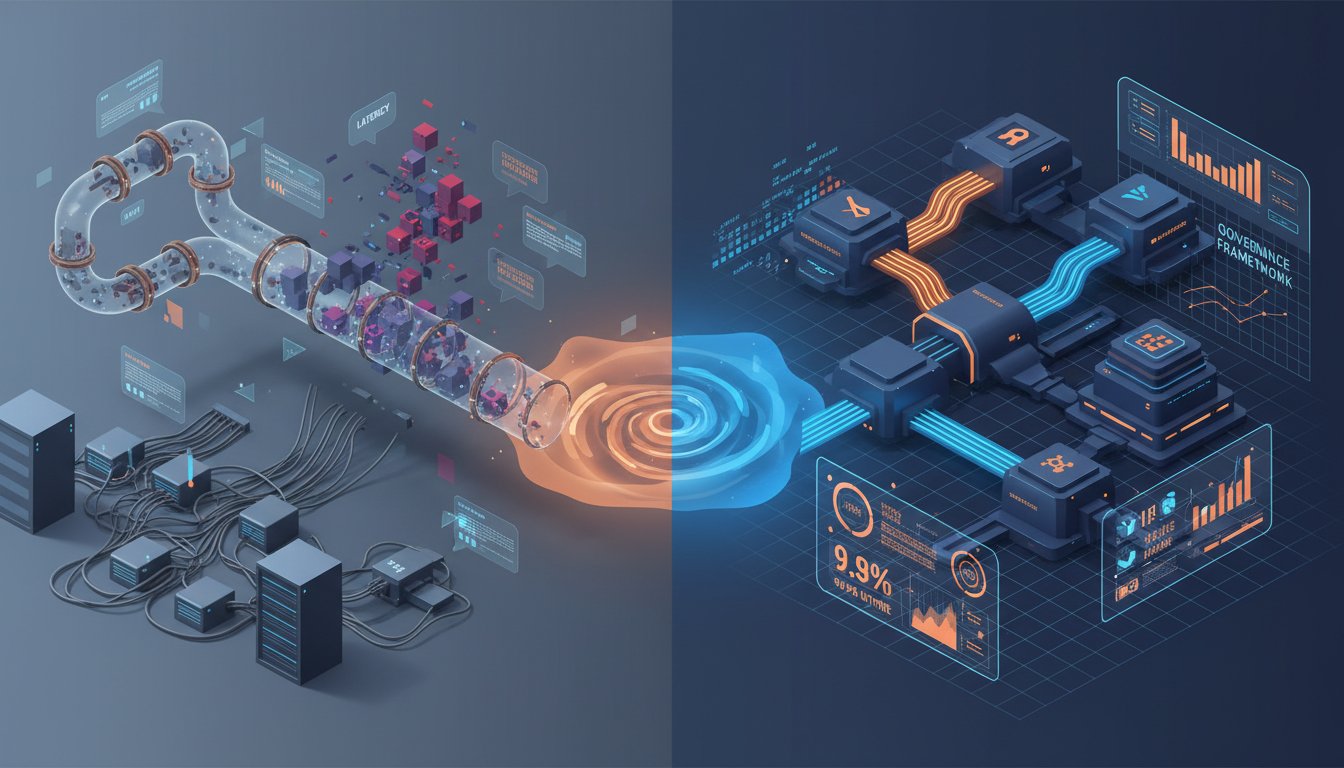
Building Voice-Powered Enterprise RAG: A Step-by-Step Guide to ElevenLabs Integration
Imagine a support engineer asking a complex technical question about your enterprise knowledge base and receiving a naturally-spoken, contextually accurate answer within milliseconds. No text-to-read, no artificial robotic cadence—just fluid, human-like speech synthesized from your RAG system’s retrieved documents. This isn’t theoretical anymore. Enterprise organizations are shipping voice-augmented RAG pipelines, and the technical barrier to entry has collapsed.
The challenge most RAG teams face isn’t retrieval or generation in isolation—it’s making those retrieved answers accessible in real-time conversational contexts. Text-based RAG systems excel at precision but fail at engagement. Knowledge workers want answers they can listen to while multitasking, not responses they must parse from a screen. Meanwhile, enterprise voice platforms have historically been expensive, brittle, and limited to pre-recorded content.
This is where ElevenLabs changes the equation. By coupling ElevenLabs’ real-time voice synthesis API with your existing RAG architecture, you can transform static document retrieval into dynamic voice interactions. The generated responses become naturally spoken, multilingual, and indistinguishable from human narration. This walkthrough will show you exactly how to wire these systems together, optimize for latency, and avoid the common integration pitfalls that derail voice-RAG projects in production.
Understanding the Voice-RAG Architecture
The Three-Layer Pipeline
A production voice-RAG system operates in three distinct phases, each with its own optimization surface. The first layer—retrieval—queries your vector database or traditional search index with a user’s spoken question (after speech-to-text conversion). This phase is identical to standard RAG: you’re retrieving the most relevant chunks from your knowledge base, whether stored in Notion, S3, or a vector database like Pinecone or Weaviate.
The second layer—generation—takes those retrieved chunks and passes them to an LLM (GPT-4, Claude, or a specialized model like Llama) which synthesizes a coherent answer. This is pure RAG logic, unmodified. The magic happens in the third layer: vocalization. Instead of returning text to a user interface, you pipe the generated response through ElevenLabs’ API, which transforms the text into high-fidelity speech in under 500ms.
Here’s the critical insight: most teams try to process the entire response through text-to-speech sequentially. They generate 1000 characters, wait for synthesis, and deliver the audio. This creates latency nightmares in production. The optimal architecture streams the response token-by-token, synthesizing speech in parallel with generation. ElevenLabs supports this via its streaming API.
Why Latency Matters More Than You Think
Enterprise voice interactions require sub-1-second response latency to feel natural. Users expect voice systems to behave like a knowledgeable colleague—a pause of 2-3 seconds signals that something is broken. When you chain retrieval + generation + synthesis, each layer adds latency. A typical flow breaks down like this: retrieval (200-400ms), generation (800-1500ms), and synthesis (if done sequentially, another 300-800ms). You’re easily at 1.3-2.8 seconds before audio reaches the user.
The solution isn’t to optimize each component in isolation—it’s to parallelize the pipeline. While your LLM generates tokens, ElevenLabs should already be synthesizing the first chunk. By streaming responses in 50-100 character chunks and synthesizing each immediately, you can reduce total end-to-end latency to 1.1-1.5 seconds. That’s the difference between a system that feels responsive and one that feels like talking to a sluggish AI.
Step 1: Set Up Your ElevenLabs Account and API Access
Creating and Configuring Your API Key
Start by signing up at ElevenLabs and navigating to your Account Settings. You’ll need to generate an API key under the “API Keys” section. This key is your credential for all programmatic interactions with ElevenLabs’ text-to-speech engine.
Unlike consumer APIs, ElevenLabs differentiates between synchronous (request-response) and streaming endpoints. For a voice-RAG system, you’ll almost always want the streaming endpoint: POST /v1/text-to-speech/{voice_id}/stream. This endpoint accepts text input and returns audio chunks in real-time, perfect for pairing with token-streaming LLM outputs.
Create a .env file in your project root:
ELEVENLABS_API_KEY=your_api_key_here
ELEVENLABS_VOICE_ID=default_voice_or_custom_id
Voice selection matters more than you might expect. ElevenLabs provides pre-trained voices (“Adam,” “Bella,” etc.) and supports custom voice cloning. For enterprise deployments, test 3-4 voices with your retrieval output—speech quality can vary based on text structure. Some voices handle technical jargon better than others.
Step 2: Integrate RAG Retrieval with Your LLM Chain
Building the RAG Foundation
Your voice-RAG system sits atop a standard RAG pipeline. If you’re using LangChain (highly recommended for this architecture), your retriever might look like this:
from langchain.vectorstores import Pinecone
from langchain.retrievers import ContextualCompressionRetriever

retriever = Pinecone.from_existing_index(
    index_name="enterprise_knowledge",
    embedding=OpenAIEmbeddings(),
    namespace="production"
).as_retriever(search_kwargs={"k": 4})
The key parameter here is k=4—retrieving 4 chunks per query. More chunks increase relevance but also increase latency and the risk of context bloat in your LLM prompt. Most voice-RAG systems in production use k=3 or k=4. The retrieved chunks get concatenated into a single context string, which your LLM uses to ground its generation.
Setting Up Token Streaming for Low-Latency Generation
Traditional RAG implementations wait for the LLM to complete before returning output. For voice synthesis, you need token-streaming: getting each token as it’s generated, not after the entire response completes.
Using LangChain with OpenAI’s API:
from langchain.llms import OpenAI
from langchain.callbacks.streaming_stdout import StreamingStdOutCallbackHandler

llm = OpenAI(
    temperature=0.2,
    streaming=True,
    callbacks=[StreamingStdOutCallbackHandler()]
)

response = llm.predict(f"Answer this question using the context: {context}\n\nQuestion: {query}")
With streaming=True, the LLM returns tokens as they arrive from the API. You’ll capture these tokens in a callback and pass them immediately to ElevenLabs for synthesis. This is where the latency advantage materializes.
Step 3: Stream Text-to-Speech Synthesis with ElevenLabs
Implementing the Streaming Synthesis Pipeline
Now comes the core integration. You’ll create a function that accepts streaming tokens from your LLM and pipes them to ElevenLabs while simultaneously buffering audio for delivery:
import requests
from collections import deque
import threading

class VoiceRAGSynthesizer:
    def __init__(self, api_key, voice_id):
        self.api_key = api_key
        self.voice_id = voice_id
        self.base_url = "https://api.elevenlabs.io/v1"
        self.audio_buffer = deque()
        self.synthesis_thread = None

    def stream_synthesis(self, text_generator):
        """
        text_generator: yields tokens from LLM
        """
        accumulated_text = ""

        for token in text_generator:
            accumulated_text += token

            # Synthesize at sentence boundaries to avoid choppy speech
            if any(punct in accumulated_text[-10:] for punct in ['.', '!', '?', '\n']):
                self._synthesize_chunk(accumulated_text)
                accumulated_text = ""

        # Synthesize any remaining text
        if accumulated_text.strip():
            self._synthesize_chunk(accumulated_text)

    def _synthesize_chunk(self, text):
        headers = {
            "xi-api-key": self.api_key,
            "Content-Type": "application/json"
        }

        payload = {
            "text": text,
            "model_id": "eleven_monolingual_v1",
            "voice_settings": {
                "stability": 0.5,
                "similarity_boost": 0.75
            }
        }

        url = f"{self.base_url}/text-to-speech/{self.voice_id}/stream"

        try:
            response = requests.post(
                url,
                json=payload,
                headers=headers,
                stream=True,
                timeout=10
            )

            if response.status_code == 200:
                for chunk in response.iter_content(chunk_size=1024):
                    if chunk:
                        self.audio_buffer.append(chunk)
            else:
                print(f"Synthesis error: {response.status_code}")

        except requests.RequestException as e:
            print(f"Request failed: {e}")

    def get_audio_stream(self):
        """Generator that yields audio chunks as they become available"""
        while True:
            if self.audio_buffer:
                yield self.audio_buffer.popleft()
            else:
                # Check if synthesis is still running
                if self.synthesis_thread and not self.synthesis_thread.is_alive():
                    break
                time.sleep(0.01)  # Small delay to prevent busy-waiting
This architecture maintains two concurrent processes: one synthesizing text chunks into audio (feeding the buffer), and another consuming audio chunks (yielding to the caller). The decoupling prevents blocking and ensures smooth audio delivery even if synthesis occasionally lags.
Tuning Voice Settings for Enterprise Content
ElevenLabs exposes two critical parameters: stability (0-1) and similarity_boost (0-1). These deserve careful tuning:
- Stability (0.5 recommended): Controls how consistent the voice is across the response. Higher stability (0.8-1.0) produces more monotone delivery but is reliable for technical content. Lower stability (0.3-0.5) adds natural variation but can sound inconsistent over long passages. For enterprise RAG, 0.5 is the sweet spot.
- Similarity Boost (0.75 recommended): Affects how closely the synthesized speech adheres to your selected voice’s characteristics. Higher values (0.8-1.0) make the voice more distinctive but can introduce artifacts. For clarity-first applications, 0.75 balances character and intelligibility.
For technical documentation or support interactions, test with stability=0.5 and similarity_boost=0.75. For customer-facing applications (marketing, personalized outreach), increase similarity_boost to 0.85+.
Step 4: Handle Edge Cases and Production Resilience
Managing Synthesis Failures and Fallbacks
In production, synthesis requests will occasionally fail due to network issues, API rate limits, or malformed text. Your voice-RAG system needs graceful degradation.
First, implement exponential backoff for ElevenLabs API calls:
def synthesize_with_retry(text, api_key, voice_id, max_retries=3):
    for attempt in range(max_retries):
        try:
            # Synthesis call here
            return synthesize_chunk(text, api_key, voice_id)
        except requests.RequestException as e:
            if attempt < max_retries - 1:
                wait_time = 2 ** attempt  # 1s, 2s, 4s
                time.sleep(wait_time)
            else:
                # Fallback: return text with warning
                return {"fallback": True, "text": text}
Second, handle rate limiting intelligently. ElevenLabs has rate limits (typically 1000 requests/minute on standard plans). If you’re processing RAG responses rapidly, you’ll hit this ceiling. Implement request queuing:
from queue import Queue
import threading

class RateLimitedSynthesizer(VoiceRAGSynthesizer):
    def __init__(self, api_key, voice_id, requests_per_minute=500):
        super().__init__(api_key, voice_id)
        self.request_queue = Queue()
        self.requests_per_minute = requests_per_minute
        self.request_times = deque(maxlen=requests_per_minute)
        self.worker_thread = threading.Thread(target=self._process_queue, daemon=True)
        self.worker_thread.start()

    def _process_queue(self):
        while True:
            if not self.request_queue.empty():
                # Check if we're within rate limits
                now = time.time()
                self.request_times = deque(
                    [t for t in self.request_times if now - t < 60],
                    maxlen=self.requests_per_minute
                )

                if len(self.request_times) < self.requests_per_minute:
                    text = self.request_queue.get()
                    self._synthesize_chunk(text)
                    self.request_times.append(now)
                else:
                    # Wait before next attempt
                    time.sleep(0.1)
            else:
                time.sleep(0.01)
This ensures your system never exceeds ElevenLabs’ rate limits and handles spikes gracefully.
Handling Long-Form Content and Memory
RAG systems sometimes retrieve large context windows (5000+ tokens). Synthesizing this in one pass creates a monolithic audio file. Instead, break synthesis into logical paragraphs:
import re

def split_for_synthesis(text, max_chunk_size=300):
    """
    Split text intelligently at sentence boundaries, not mid-word
    """
    sentences = re.split(r'(?<=[.!?])\s+', text)
    chunks = []
    current_chunk = ""

    for sentence in sentences:
        if len(current_chunk) + len(sentence) < max_chunk_size:
            current_chunk += sentence + " "
        else:
            if current_chunk:
                chunks.append(current_chunk.strip())
            current_chunk = sentence + " "

    if current_chunk:
        chunks.append(current_chunk.strip())

    return chunks
This prevents ElevenLabs from choking on massive payloads and allows parallel synthesis of multiple chunks.
Step 5: Deploy and Monitor Voice-RAG Performance
Measuring Latency and Quality Metrics
Production voice-RAG requires monitoring three key metrics:
-
End-to-End Latency: Time from when the user asks a question to when audio begins playback. Target: <1.5 seconds. Measure this at the application level, not just the API level.
-
Audio Quality (MOS Score): Mean Opinion Score is the standard for voice synthesis quality. ElevenLabs’ models typically score 4.0-4.5 MOS (where 5.0 is human quality). Track this with user feedback or automated quality tests.
-
Synthesis Success Rate: Percentage of synthesis requests that complete without errors. Target: >99%. Implement structured logging:
import logging
from datetime import datetime

logger = logging.getLogger("voice_rag")

def log_synthesis_event(text_length, latency_ms, success, error=None):
    event = {
        "timestamp": datetime.utcnow().isoformat(),
        "text_length": text_length,
        "latency_ms": latency_ms,
        "success": success,
        "error": error
    }
    logger.info(f"Synthesis event: {event}")
Aggregate these logs to Datadog, New Relic, or your observability platform. Track latency percentiles (p50, p95, p99) to catch tail latency issues.
Cost Optimization
ElevenLabs charges per character synthesized. A typical enterprise support query might generate 500-1000 characters of RAG output. At scale (1000+ queries/day), costs compound. Optimize:
- Caching: Store synthesized audio for common queries. If the same retrieval result is used 10 times, synthesize once and reuse.
- Compression: Use lower-quality models for internal use, premium models for customer-facing interactions.
- Batch Processing: If RAG queries aren’t real-time, batch multiple text-to-speech requests to reduce per-request overhead.
Getting Started: Integration with ElevenLabs
You now have a blueprint for building production voice-RAG systems. The architecture prioritizes latency through streaming synthesis, handles edge cases with retry logic, and scales cost-effectively through rate limiting and caching.
The next step is hands-on implementation. ElevenLabs provides comprehensive API documentation and Python SDK support. To begin experimenting with voice-RAG synthesis, click here to sign up for an ElevenLabs account and access your API credentials. Start with a small proof-of-concept: retrieve one document from your knowledge base, synthesize its summary, and measure end-to-end latency. From there, scale to production with the patterns outlined above.
Voice-augmented RAG isn’t a future feature—it’s available today. Teams shipping these systems now are gaining a significant competitive advantage in knowledge accessibility and user engagement. The barrier to entry is a solid technical foundation and clear understanding of the integration points. You now have both.