
Every enterprise knowledge base faces the same problem: information locked in static documents that few people actually read. Your team writes comprehensive documentation in Notion, but it sits unused because knowledge workers need answers faster than they can search. Meanwhile, your customer support team spends hours extracting the same information from your knowledge base to answer repetitive questions.
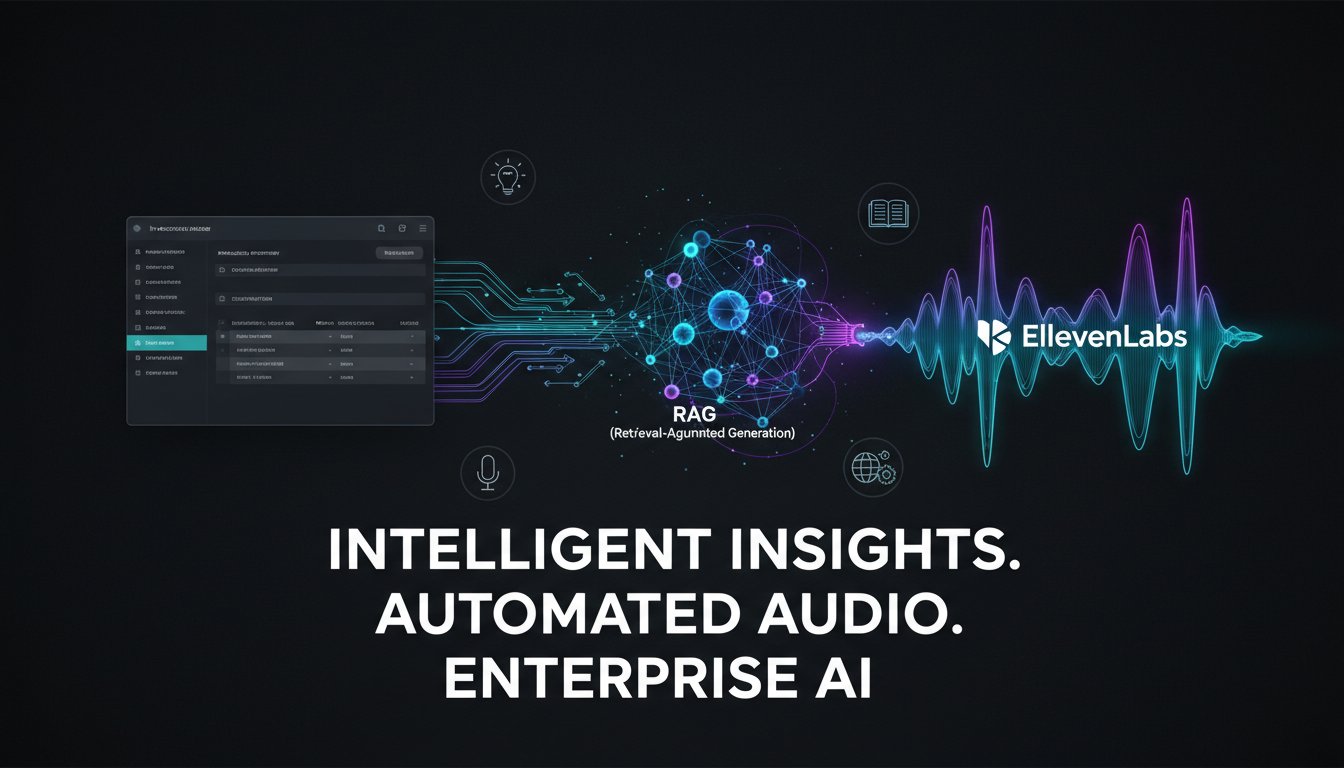
What if your documentation could talk back? Imagine a RAG system that retrieves answers from your Notion knowledge base and transforms them into natural-sounding voice responses through ElevenLabs—all in seconds. This isn’t theoretical. Forward-thinking enterprises are building voice-enabled knowledge systems that make documentation interactive, accessible, and actually useful.
The challenge is that most RAG implementations treat knowledge bases as text-only systems. They retrieve information but deliver it the same way it was stored: as static text that requires active reading. This approach fails for mobile users, multitasking employees, and accessibility needs. ElevenLabs changes this equation by converting retrieved knowledge into high-quality audio that users can consume anywhere, anytime.
In this guide, we’ll walk through building a production-ready voice-enabled knowledge system that connects Notion → RAG retrieval → ElevenLabs audio generation. You’ll learn the exact architecture, code patterns, and deployment considerations that enterprises use to make their knowledge bases speak.
Setting Up Your Notion API Connection in the RAG Pipeline
The foundation of your system is connecting Notion to your RAG pipeline. Unlike static document uploads, the Notion API enables real-time synchronization, meaning your knowledge base stays current without manual reindexing.
Extracting Content from Notion Databases
Notion’s API returns database content in JSON format with rich metadata. Here’s what your extraction pipeline needs to handle:
First, authenticate using your Notion integration token. Create an internal integration in your Notion workspace and grant database access to the specific knowledge base you’re indexing. Your token looks like secret_xxxxxxxxxxxxx—treat it like a database password.
Next, query the database using the Notion API endpoint. A typical query retrieves pages with their properties and rich text content. Each page becomes a potential retrieval candidate in your vector database. The key insight: Notion stores content hierarchically, with child pages nested under parent pages. Your extraction needs to flatten this structure while preserving semantic relationships.
For example, if you have a parent page titled “API Authentication” with child pages for “OAuth 2.0,” “JWT Tokens,” and “API Keys,” your chunking strategy should maintain this relationship. When a user asks about OAuth, your retriever can rank related authentication pages higher than unrelated documentation.
The extraction code typically follows this pattern: initialize the Notion client with your token, iterate through database pages, extract the rich text content, and chunk the text into retrievable segments (typically 300-500 tokens per chunk). Store each chunk with its source page URL, section heading, and creation metadata.
Handling Notion’s Rich Text Structure
Notion pages contain formatted text, code blocks, tables, and embeds. Your extraction pipeline must convert these into plain text while preserving structure. Skip metadata like block IDs unless you need them for source attribution.
For code blocks, preserve the language identifier and content. For tables, convert them into markdown format so your LLM can reason about rows and columns. For embeds (like YouTube videos), store the URL as context but don’t embed the video itself—your RAG system works with text and metadata.
Building the Vector Embedding and Retrieval Layer
Once you’ve extracted Notion content, it enters your vector embedding pipeline. This is where raw text becomes searchable knowledge.
Chunking Strategy for Notion Content
Notion’s hierarchical structure requires thoughtful chunking. A naive approach—splitting every page into fixed-size chunks—loses context. Instead, use semantic chunking:
Keep content from the same Notion heading together. If a section about “Rate Limiting” spans 800 tokens, don’t split it arbitrarily. Semantic chunking preserves meaning and improves retrieval relevance. Tools like LangChain provide RecursiveCharacterTextSplitter with configurable parameters for this exact use case.
For each chunk, generate metadata that includes the page title, section heading, hierarchy level, and source URL. This metadata becomes critical when ElevenLabs generates voice responses—you’ll want to include source attribution in the audio output.
Embedding and Vector Storage
Use OpenAI’s text-embedding-3-small model for cost-effective, high-quality embeddings, or Cohere’s embedding API if you prefer an alternative. Each chunk becomes a 1536-dimensional vector. Store these in a vector database that supports approximate nearest neighbor search—Pinecone, Qdrant, or Weaviate all work well.
Configure your vector database with metadata filtering enabled. When a user submits a query like “How do I authenticate with OAuth?”, your retriever performs vector similarity search but can also filter results by metadata (e.g., only “API documentation” pages, exclude deprecated content).
The retrieval call typically returns top-5 or top-10 most similar chunks. The ranking is determined by cosine similarity between the query embedding and stored chunk embeddings. For RAG systems backed by enterprise knowledge, you’ll want to tune the retrieval to balance relevance and comprehensiveness—returning too few results misses context, returning too many fragments the response.
Integrating ElevenLabs for Voice Generation
Now comes the differentiating capability: converting retrieved knowledge into natural-sounding voice.
Setting Up ElevenLabs API
Sign up for ElevenLabs at click here to sign up and grab your API key from the dashboard. ElevenLabs offers 70+ voices across multiple languages and accents, each with different emotional profiles and pacing characteristics.
For enterprise knowledge bases, select a voice that matches your brand tone. If your documentation is technical and formal (like API docs), choose a clear, measured voice. If you’re building customer support, a warmer, more conversational voice works better. You can create custom voices using ElevenLabs’ voice cloning feature—some enterprises record a team member to establish brand consistency across all generated audio.
The LLM Generation → Voice Synthesis Pipeline
Here’s the architecture:
- User submits a query (e.g., “How do I set up webhook authentication?”)
- RAG retrieval pulls relevant chunks from Notion-indexed content
- LLM (GPT-4, Claude, Llama) generates a coherent answer using the retrieved chunks as context
- Generated text is sent to ElevenLabs API for speech synthesis
- User receives audio file with the answer
Crucially, the LLM generation step must produce text that sounds natural when spoken aloud. This means avoiding run-on sentences, excessive jargon in rapid succession, and parenthetical asides. Some teams fine-tune their LLM prompts to generate “speech-optimized” responses—shorter sentences, clear transitions, natural pacing cues.
ElevenLabs supports real-time streaming (useful for voice apps) and batch synthesis (optimal for background jobs). For a knowledge base that serves many users, use streaming for interactive sessions (users get audio within 1-2 seconds) and batch for bulk content generation.
Handling Audio Delivery and Caching
ElevenLabs charges per character synthesized. A single 500-word answer costs roughly 500 credits (at standard pricing tiers). For an enterprise knowledge base serving hundreds of employees, costs add up. Implement intelligent caching:
Store generated audio files for frequently asked questions. If the same question is asked multiple times, serve the cached audio instead of regenerating. Use a database like Redis to map query hashes to audio URLs.
For personalization, consider parameterized caching. If 100 employees ask “What’s our API rate limit?”, they get the same audio. But if 10 ask “Why am I getting rate-limited?”, they might get different responses based on their context. Cache only the standardized Q&A, not highly personalized responses.
Deployment and Enterprise Considerations
Authentication and Access Control
Your Notion API token grants access to specific databases. In a multi-tenant enterprise, ensure that users can only retrieve knowledge they’re authorized to access. Build access control into your retrieval layer:
When a user submits a query, check their access permissions against the Notion page’s share settings. If they lack permission to view a page, exclude it from retrieval results even if it’s semantically relevant.
For highly sensitive knowledge (security docs, financial info, legal contracts), consider separate vector databases with stricter access controls rather than mixing sensitive and non-sensitive content in a single retrieval system.
Latency and Performance
A user asking a question expects an answer in seconds, not minutes. Optimize for latency:
- Vector retrieval: Should complete in <100ms (Pinecone with proper indexing achieves this)
- LLM generation: 2-5 seconds depending on model and response length
- ElevenLabs synthesis: 1-3 seconds for typical responses
- Total end-to-end: 4-9 seconds
If this is too slow, pre-generate audio for your top 100 FAQs. Users asking common questions get instant responses.
For internal tools, consider asynchronous processing: return an immediate “generating answer” response, then deliver audio when ready via webhook or notification.
Monitoring and Evaluation
Build observability into your system. Track:
- Retrieval relevance: Are retrieved chunks actually answering the question?
- Generation quality: Is the LLM response accurate and complete?
- Audio quality: Are ElevenLabs voices rendering properly across devices?
- User feedback: Can users thumbs-up/thumbs-down responses to improve ranking?
Set up logging for every query. Include the user question, retrieved chunks, generated answer, and ElevenLabs voice ID. When users report issues (“the voice sounded robotic,” “the answer was wrong”), you have full context to debug.
Real-World Implementation Example
Let’s walk through a concrete scenario: an enterprise with a 500-page API documentation in Notion.
Week 1: Extract all Notion pages into markdown. Implement semantic chunking with 400-token chunks. Generate embeddings for all 1,200 chunks. Load into Pinecone.
Week 2: Build the query pipeline. User submits “How do I handle rate limits in the Python SDK?”, system retrieves 5 relevant chunks (about rate limiting, Python SDK usage, error handling), passes them to GPT-4 with a prompt that says “Answer using only the provided context.” GPT-4 generates a 150-word response. Send to ElevenLabs with the “Bella” voice (professional, clear). User receives audio in 6 seconds.
Week 3: Deploy in pilot to 50 internal users. Collect feedback. Discover that users want source attribution (“This information is from the Rate Limiting page of our API docs”). Update the LLM prompt to include source citations. Regenerate audio with citations.
Week 4: Roll out to 500 users. Monitor usage patterns. Notice that 20% of queries are variations of the same 5 FAQs. Pre-generate audio for these common questions, reducing latency to <2 seconds for frequently asked queries.
Optimizing for Cost and Scale
ElevenLabs charges per character. A 10,000-character knowledge base synthesized monthly costs roughly $20 (at 1 credit per character). But synthesizing the same content repeatedly wastes budget. Here’s how mature teams optimize:
Smart Caching: Cache generated audio by query hash. TTL of 30 days means popular questions stay cached while new questions generate fresh audio.
Batch Processing: If you pre-generate audio for all FAQ answers, use ElevenLabs’ batch API (cheaper per character than real-time synthesis).
Voice Optimization: Shorter, punchier answers reduce character count. Train your LLM prompt to generate concise responses: “Answer in 100-150 words, no fluff.”
Compression: Audio files can be compressed (MP3 encoding saves 60% vs. WAV). Store compressed audio, decompress on playback.
Connecting HeyGen for Visual Knowledge Documentation
While voice answers your synchronous Q&A needs, video documentation handles procedural knowledge. HeyGen automates creation of tutorial videos from your Notion documentation at try for free now.
Imagine your Notion knowledge base includes a page titled “Setting Up OAuth: Step-by-Step.” Instead of users reading 800 words, HeyGen generates a 3-minute video with an AI avatar walking through each step, screen recordings embedded, and voiceover synthesized through the same ElevenLabs pipeline.
The workflow: Extract procedural sections from Notion → Send to HeyGen API with script → HeyGen generates video with avatar and visuals → Store video URL alongside text and audio in your knowledge system → Users can watch video, listen to audio, or read text depending on context.
HeyGen’s API supports custom branding (avatars wearing company logos), localization (generate the same video in 10 languages), and personalization (insert user’s name into the video). For enterprises with global teams, this multiplies the value of every knowledge asset.
Wrapping Up: The Future of Voice-Enabled Knowledge
The convergence of RAG, Notion integration, ElevenLabs voice synthesis, and HeyGen video generation creates enterprise knowledge systems that are more accessible, usable, and valuable than static documentation ever could be. Your knowledge workers get answers faster. Your customers become self-sufficient. Your support team handles complex issues instead of triaging simple questions.
The technical implementation is now straightforward: connect your Notion knowledge base, embed chunks as vectors, retrieve semantically relevant content, generate LLM responses, and synthesize natural-sounding audio. The competitive advantage goes to teams that optimize this pipeline for their specific use case.
Start by picking one knowledge domain (API documentation, sales playbooks, onboarding guides) and building your first voice-enabled RAG system. Monitor performance, gather user feedback, and iterate. Once you’ve proven the value internally, scale to other domains.
Your knowledge base doesn’t have to be read anymore. It can be heard, watched, and experienced. The tools to build this are here today. The question is: are you ready to make your enterprise knowledge speak?