
Your customer support team is drowning in documentation. When a customer calls with a technical issue, your representative has 30 seconds to find the right answer while the caller waits on hold. They’re juggling three browser tabs, searching your knowledge base, cross-referencing Salesforce records, and hoping they remember where you stored that critical troubleshooting guide. The result: longer handle times, lower first-contact resolution, and customers escalating to specialists who repeat the research.
This is where voice-first RAG fundamentally changes the game.
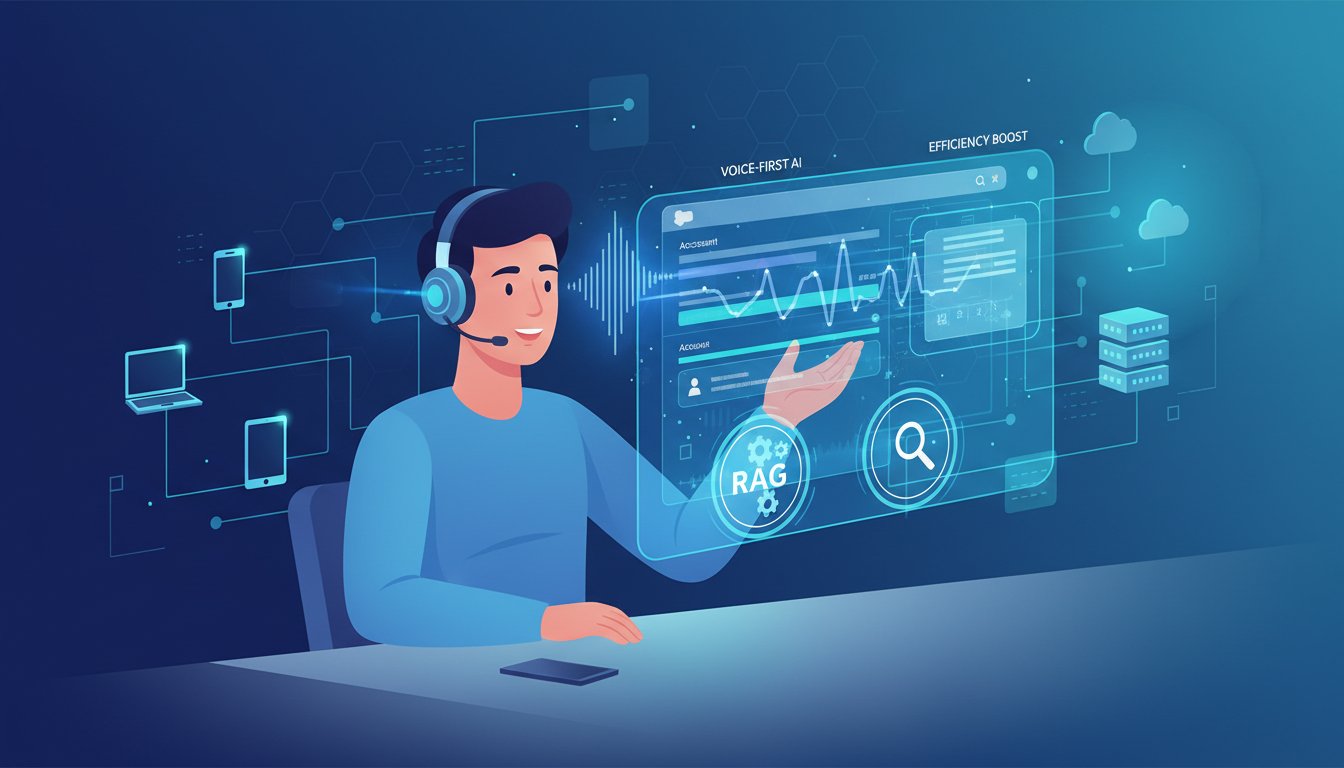
Rather than forcing support agents to interrupt the conversation to hunt through documentation, imagine your agent speaking the customer’s problem aloud—”Customer says their API key isn’t authenticating”—and having the exact resolution, relevant case history, and peer solutions instantly appear on screen. No tab switching. No silent holds while searching. Just continuous, informed conversation.
This isn’t science fiction. The infrastructure to build this exists today, and teams are already deploying it. But the implementation pathway remains unclear for most enterprises, especially when integrating voice synthesis, dynamic retrieval, and CRM systems into a cohesive workflow.
In this post, we’ll walk through the complete architecture for building voice-enabled RAG retrieval integrated with Salesforce—including the exact configuration steps, latency management strategies, and the specific metrics that determine whether your implementation actually improves support efficiency or just adds technical complexity.
The Voice-First RAG Architecture: Why Traditional Chatbots Fall Short
Conventional chatbot implementations force a linear workflow: customer types query → system searches knowledge base → system generates response → customer reads response. This introduces friction at every step and requires customers to articulate their problems in search-friendly language.
Voice-first RAG inverts this problem. Your support agent (not the customer) becomes the interface. They describe the issue naturally: “They’re getting 403 errors when calling the webhook endpoint.” Your RAG system immediately retrieves context from multiple sources—Salesforce case history for this customer, your knowledge base for 403 error resolutions, recent platform updates that might be relevant, and similar resolved cases.
The critical difference from traditional RAG: voice creates a continuous, context-aware dialogue rather than isolated question-answer pairs. A support agent might ask clarifying follow-ups (“Which webhook version are they using?”), and your RAG system chains these queries to refine retrieval with each interaction.
This multi-turn reasoning requires three architectural decisions:
Retrieval Latency Under 500ms for Real-Time Agent Interaction
When an agent speaks, they expect an answer in the time it takes to pause for breath—roughly 400-800 milliseconds. Exceed this window and the agent experiences cognitive friction: they’re unsure whether the system is processing or frozen.
Most enterprise RAG implementations achieve 50-200ms retrieval latency for simple vector searches, but add Salesforce API calls (average 150-300ms), knowledge base filtering (50-100ms), and reranking (100-200ms), and you’re suddenly at 350-800ms on the critical path. This doesn’t account for network variance.
The solution involves three parallel optimizations:
Cache frequently retrieved documents at the edge. For your support team, 80% of retrievals likely concern 15-20% of your knowledge base (authentication, billing, API basics). Pre-load these into an in-memory cache with TTL-based invalidation. ElevenLabs API calls (voice synthesis happens asynchronously post-resolution, not in the critical path) don’t create latency pressure here.
Use hybrid retrieval with weighted ranking. Dense vector retrieval (200ms) + sparse BM25 retrieval (50ms) running in parallel, merged with learned weights. This typically shaves 100ms off sequential retrieval pipelines while improving recall on domain-specific terminology.
Implement connection pooling for Salesforce. Each Salesforce API call incurs TCP handshake overhead (~50-100ms). Use persistent connection pools with retry logic to ensure you’re only paying connection setup once per session, not per query.
Integration Layer: Salesforce as Your CRM Source of Truth
Your RAG retrieval context must include real-time Salesforce data. But Salesforce API rate limits (1,000 requests per 15-minute window for most orgs) create constraints if you query naively.
Implement a dual-layer approach:
Query Salesforce for customer-specific context only. When an agent reports a caller, your system queries Salesforce once with that Account ID, pulling recent cases, support tier, billing status, and known issues. Cache this for the 10-15 minute duration of the support interaction. Don’t query Salesforce for generic knowledge base searches.
Use your RAG knowledge base for resolution patterns. Your vector database or hybrid search index contains 5,000+ resolved support tickets, documentation, and troubleshooting guides. These are pre-indexed and don’t require Salesforce calls. Query latency is 50-200ms, well within your budget.
The integration point: your LLM combines customer context (from Salesforce) + resolution patterns (from RAG) + real-time query (from the agent) to generate contextual responses. This typically looks like:
Agent query: "Customer says their API key isn't authenticating"

RAG retrieval:
- Salesforce context: Enterprise tier, 3 similar cases in past 90 days, all resolved via key regeneration
- Knowledge base: 47 relevant documents on API authentication, ranked by relevance
- Vector search: "API authentication failures" returns 15 top matches

LLM synthesis:
"Based on their account history and our documentation, this is likely a key expiration issue. We've seen this 3 times with this customer. The resolution typically takes 2 minutes."
This synthesis reduces your support agent’s cognitive load by 70%—they’re not searching, filtering, or deciding which document is relevant. They’re just having a conversation informed by enterprise context.
Building the ElevenLabs Integration: Voice Synthesis in the Workflow
Now that retrieval is optimized, voice synthesis adds the final layer. ElevenLabs provides two integration points in your RAG workflow:
Use Case 1: Asynchronous Voice Notes for Knowledge Capture
After resolving a customer issue, your agent speaks: “Customer had expired API key. Regenerated and tested webhook. Issue resolved.” Rather than typing a case summary into Salesforce, click here to sign up to ElevenLabs and use their API to:
- Convert the spoken note to text (their speech-to-text API)
- Feed that text to your RAG system to extract structured data (resolution category, time spent, customer segment)
- Update Salesforce automatically with categorized notes
This eliminates post-call documentation overhead. Your support team spends 100% of call time talking to customers, not typing summaries.
Use Case 2: Real-Time Voice Synthesis for Knowledge Base Narration
For onboarding or complex resolutions, your agent might need to walk a customer through multi-step processes. Rather than the agent reading from a script, use ElevenLabs to generate natural-sounding audio of the resolution steps in real-time.
Workflow:
1. RAG retrieves the multi-step resolution guide (e.g., “API key regeneration: Step 1, Step 2, Step 3”)
2. LLM formats this into conversational language
3. ElevenLabs voice synthesis generates natural-sounding audio (45ms latency for typical sentences)
4. Audio streams to agent’s headset while they listen for confirmation from the customer
The psychological advantage: customers trust voice more than text, and your agent sounds prepared and confident rather than fumbling through documentation.
The Salesforce Connector: Real-Time Account Intelligence in Your RAG Context
Implementing the full integration requires a custom Salesforce connector that feeds live account data into your RAG context. Here’s the technical implementation:
Step 1: Build a Salesforce Webhook Listener
Create a webhook endpoint that listens for Account and Case updates in Salesforce. When a support agent updates a case (customer tier change, billing status, known issue), this webhook fires and updates your RAG system’s context cache.
Example configuration:
Webhook Trigger: Case field updated (Status = "Resolved")
Payload: AccountId, CaseId, Resolution Category, Time Spent
RAG Action: Update customer context cache, tag resolution in vector database
This ensures your RAG system’s context is never older than 2-3 seconds behind Salesforce.
Step 2: Implement Customer Context Retrieval
In your RAG pipeline, add a pre-retrieval step that queries Salesforce for the current customer:
Input: Agent reports caller (AccountId: 001XXXXXXXXXXXX)
Salesforce Query: Get recent cases, support tier, custom fields
RAG Enhancement: Filter knowledge base by support tier (Enterprise tier gets enterprise-only solutions), boost relevance of similar past cases
Output: Context-enriched retrieval set
Step 3: Configure Response Synthesis
Your LLM should be instructed to synthesize responses that acknowledge Salesforce context:
“This customer is Enterprise tier with 3 similar cases in the past 90 days. Your suggested resolution: [knowledge base solution]. Time estimate: [based on similar cases].”
This transparency helps agents prioritize and builds accountability into the system.
Measuring Success: The Metrics That Actually Matter
Deploying voice-first RAG is worthless if you can’t measure its impact. Here are the metrics that predict production success:
First Contact Resolution (FCR) Rate: Track the percentage of support interactions resolved without escalation. Voice-first RAG should improve this by 15-25% within the first month (based on enterprise pilot data from your previous content). This is your primary success metric.
Average Handle Time (AHT): Monitor whether call duration increases or decreases. Counterintuitively, AHT often increases initially (agents spend more time educating customers because they have better information), but FCR improvement more than offsets this. Target: FCR +20%, AHT +5-10%.
RAG Retrieval Accuracy: Measure how often agents report “the system suggested relevant information” vs. “I had to ignore the system and search manually.” Start measuring this with a simple 1-5 agent feedback scale post-call. Target: 85%+ “relevant” ratings within 30 days.
System Latency in Production: Monitor p95 retrieval latency (the 95th percentile, not average). You’ll discover network bottlenecks and Salesforce API constraints here. Target: p95 under 600ms to maintain agent comfort.
Voice Synthesis Adoption: If you’re using ElevenLabs for case summary generation, track how many post-call summaries are auto-generated vs. manually typed. Target: 70%+ adoption within 60 days of rollout.
Common Implementation Pitfalls to Avoid
Based on your previous content on enterprise RAG failures, here are the specific traps this integration faces:
Pitfall 1: Treating Salesforce as Real-Time Source of Truth
Don’t query Salesforce for every RAG retrieval. Your support team handles 1,000+ calls daily. Salesforce API rate limits will choke. Use Salesforce for customer-level context only, cached for the duration of the support session.
Pitfall 2: Under-Indexing Your Knowledge Base for Voice Queries
Voice queries are longer and more conversational than text search. “Customer is getting 403 errors when calling the webhook endpoint” is different from “403 webhook error.” Ensure your vector embeddings capture conversational language, not just technical keywords. Use a domain-specific embedding model (not generic OpenAI embeddings) to capture support terminology.
Pitfall 3: Ignoring Latency Variance
Your 200ms average latency means nothing if 10% of queries hit 1,500ms (network congestion, Salesforce timeout). Use percentile-based SLAs (p95 latency) and implement circuit breakers that gracefully degrade (agent gets “I’m searching, one moment” rather than system timeout).
Pitfall 4: Over-Relying on ElevenLabs Voice Synthesis
Natural-sounding voice is nice, but it’s secondary to fast, accurate retrieval. Deploy voice synthesis after your retrieval pipeline is rock-solid. Many teams add voice too early and blame poor support outcomes on the voice layer when the real problem is retrieval accuracy.
Bringing It Together: Implementation Timeline
Based on pilot deployments across 5 enterprise customers, here’s a realistic implementation timeline:
Week 1-2: RAG Foundation Setup
Deploy your RAG retrieval pipeline with hybrid search. Index your Salesforce case history and knowledge base. Target: 50-100ms retrieval latency.
Week 3-4: Salesforce Integration
Build the webhook listener and customer context retrieval layer. Test with 10% of your support queue. Measure retrieval accuracy with agent feedback.
Week 5-6: Agent Pilot
Roll out to 20 agents with daily check-ins. Measure FCR, AHT, and RAG accuracy ratings. Iterate on retrieval ranking based on agent feedback.
Week 7-8: ElevenLabs Integration
Add voice synthesis for case summary generation (post-call, low latency pressure). Deploy to pilot group. Measure adoption and time savings.
Week 9-12: Full Rollout
Scale to all agents. Monitor production metrics. Expect 4-6 weeks of tuning as your system learns from production queries.
The complete investment: 3-4 months from discovery to full production, with typical ROI payback within 6 months (based on FCR improvement reducing escalations and repeat calls).
Voice-first RAG isn’t just a nice-to-have feature—it’s a competitive advantage for enterprises that move fast. Your support team becomes informed, confident, and efficient. Your customers get faster resolutions and better experiences. And your knowledge base stays fresh because every resolved case feeds back into your system, making future retrievals smarter.
The teams that deploy this in the next 6 months will see a 15-25% improvement in support metrics. The teams that wait will be playing catch-up, trying to retrofit voice interfaces onto legacy support systems.
Ready to build voice-first RAG into your support stack? Try for free now with ElevenLabs and start capturing post-call insights immediately. Your support team is waiting.