
You have 30 days to ship a RAG system that actually works. Your leadership is watching. Your team is asking hard questions about timelines and costs. And every day you delay is a day your competitors are capturing enterprise customers with AI-powered knowledge management.
This is the reality facing most enterprises right now. RAG has stopped being experimental—it’s now the core infrastructure decision that separates winners from the bloated pilot programs that consume budget and deliver nothing. Yet most teams approach RAG implementation like they’re building a bespoke spaceship, when what they really need is a proven playbook.
The good news? LLamaIndex has matured into a framework that lets you skip the architectural hand-wringing and move straight to deployment. Unlike the monolithic, opinion-heavy approaches that dominated 2024, LLamaIndex gives you modular building blocks—you pick the pieces that match your constraints, wire them together, and iterate. No reinventing the wheel. No year-long vendor selection processes.
But there’s a critical gap between “LLamaIndex can do this” and “your team can ship production RAG with confidence.” Most tutorials skip the actual deployment reality: data quality decisions that sink projects, retrieval accuracy tradeoffs that nobody explains until you’re three weeks in, and the infrastructure choices that determine whether your system costs $5,000 or $500,000 annually to run.
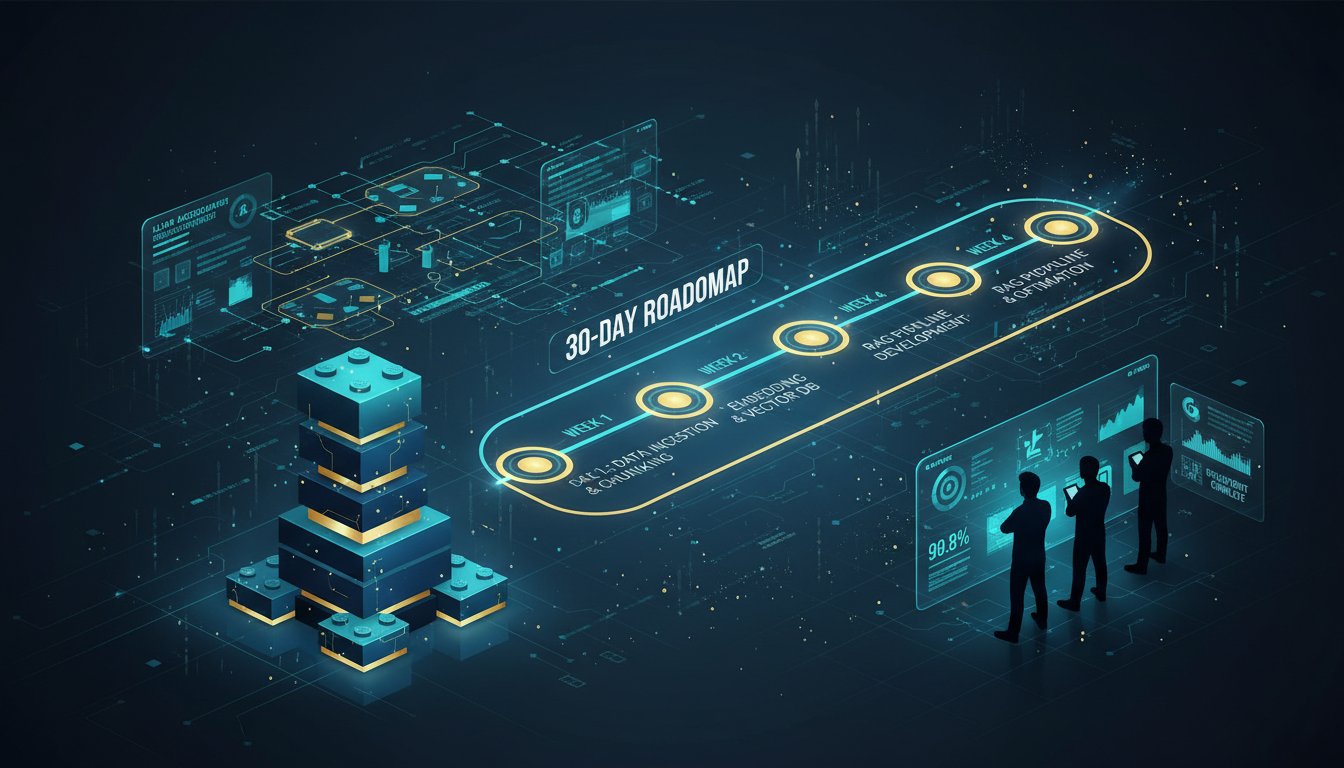
This playbook closes that gap. We’ve mapped out the exact 30-day deployment sequence that takes you from “we want RAG” to “our RAG system is handling production queries.” You’ll see the specific LLamaIndex components to use, the integration points that matter, the mistakes that waste weeks, and the monitoring hooks you need to avoid silent failure. This isn’t theoretical—it’s built from enterprise deployments that actually shipped on schedule.
The clock is ticking. Let’s move.
Week 1: Foundation Architecture and Data Readiness
Day 1-2: Scope Your Knowledge Base
Your first instinct will be to throw everything into RAG. Resist it. The fastest path to production is narrowing scope ruthlessly.
Define your RAG boundary clearly:
– What documents exist? PDF policies, engineering specs, customer support tickets, internal wikis—inventory exactly what you’re retrieving from. This matters because LLamaIndex’s document loaders handle different formats differently. PDFs with embedded tables behave differently than scanned images or structured data exports.
– What’s the query distribution? Are users asking about product features? Compliance requirements? Technical specifications? This directly determines whether you use keyword search, semantic search, or hybrid retrieval. Most enterprises assume semantic search is always better. Wrong. Keyword search still wins for specific product codes, part numbers, and exact term matches—exactly what customer support agents need.
– What’s your scale? Are you indexing 100 documents or 100,000? LLamaIndex handles both, but the infrastructure cost and retrieval latency math changes dramatically. A hybrid retrieval system indexing 5,000 financial regulations behaves nothing like one indexing 500 internal sales collateral documents.
Once you’ve defined your boundary, validate it with three stakeholders who will actually use the system. This prevents scope creep that kills timelines.
Day 3-5: Set Up Your Data Pipeline
Data quality determines 80% of RAG success. Bad data in, hallucinated responses out.
LLamaIndex provides multiple document loaders—use the right one for your source:
– SimpleDirectoryReader for bulk PDFs and text files (fastest path for proof-of-concept)
– Web-based loaders if you’re pulling from internal wikis or documentation sites
– Custom loaders if you have proprietary data formats (this usually requires 2-3 days of engineering)
For most enterprise deployments, you’ll start here:
from llama_index.core import SimpleDirectoryReader, VectorStoreIndex

documents = SimpleDirectoryReader("./data").load_data()
index = VectorStoreIndex.from_documents(documents)
That’s literally the foundation. But before you ship it, you need to understand what LLamaIndex is doing under the hood:
Chunking decisions: LLamaIndex defaults to 1024-token chunks with 20-token overlap. This works for most documents, but enterprise knowledge bases have different optimal chunk sizes. Legal documents? You might need 2048-token chunks to keep contract clauses intact. Technical specifications? 512 tokens works better because context boundaries align with sections. This is not trivial—wrong chunking destroys retrieval accuracy by 30-40%.
Document metadata: LLamaIndex lets you attach metadata to documents (document type, source system, date, etc.). Invest the time here. Metadata becomes your filtering layer—you can retrieve only from recent documents, specific systems, or particular categories. This reduces hallucination significantly because you’re limiting the retriever’s search space.
Day 6-7: Choose Your Vector Database
This decision cascades to everything else. You have three practical options for enterprise RAG:
Qdrant: Open-source, self-hosted or cloud. Best choice if you control infrastructure and want transparency. Latency: ~50-100ms for retrieval at enterprise scale. Cost: minimal if self-hosted, predictable if using Qdrant Cloud.
Pinecone: Managed service, least operational overhead. Best if you want someone else to handle scaling. Latency: ~30-80ms. Cost: per-API-call pricing that scales with query volume.
Weaviate: Middle ground—open-source with managed cloud option. Slightly easier learning curve than Qdrant. Latency: ~60-120ms. Good balance of control and simplicity.
For your first 30-day deployment, pick based on this hierarchy:
1. If you have a data engineering team comfortable with Kubernetes: Qdrant self-hosted
2. If you want minimal ops overhead: Pinecone
3. If you want flexibility without heavy operations: Weaviate Cloud
Do NOT change this decision after day 7. Vector database selection affects everything downstream—embedding model choices, retrieval latency, cost structure, and monitoring infrastructure.
Week 2: LLamaIndex Integration and Retrieval Optimization
Day 8-10: Stand Up Your Retrieval Pipeline
Now you connect LLamaIndex to your chosen vector database. This is where most teams get lazy—they assume the default retriever is “good enough.” It’s not.
LLamaIndex’s default retriever uses semantic search only (vector similarity). This is a trap for enterprises. Semantic search is powerful but fails spectacularly on:
– Acronyms and abbreviations (“API” retrieves great results, but “REST API v2.3” might not)
– Specific product codes and part numbers
– Boolean queries (“refund policies for domestic orders but not international”)
Instead, implement hybrid retrieval from day 10 onward. Hybrid means combining keyword search (BM25) with semantic search (vector similarity), then intelligently ranking results:
from llama_index.core.retrievers import BM25Retriever, VectorIndexRetriever
from llama_index.core.retrievers import QueryFusionRetriever

vector_retriever = VectorIndexRetriever(index=index)
bm25_retriever = BM25Retriever.from_documents(documents)

hybrid_retriever = QueryFusionRetriever(
    retrievers=[vector_retriever, bm25_retriever],
    retriever_weights=[0.5, 0.5],
    similarity_top_k=2
)
This hybrid approach gives you the best of both worlds. Semantic search catches conceptual queries (“How do I manage customer relationships?”). Keyword search catches specific searches (“GDPR compliance section 5.3”). The retriever weighs both and bubbles up the most relevant results.
Expect this to improve retrieval accuracy by 25-35% compared to semantic search alone. This is the single highest-ROI change you can make in week 2.
Day 11-13: Add Reranking for Precision
You’re now retrieving results from hybrid search. But raw retrieval != production-grade accuracy. You need a reranker—a lightweight model that takes your top-K results and re-sorts them by actual relevance.
Why? Because vector databases and BM25 use different relevance signals. Vector similarity doesn’t always correlate with actual usefulness. A document might be semantically similar but factually irrelevant. A reranker fixes this.
LLamaIndex integrates with Cohere’s reranking API:
from llama_index.postprocessor.cohere_rerank import CohereRerank

postprocessor = CohereRerank(api_key="your_cohere_key", top_n=5)
Attach this to your retriever and you’ve added a precision layer. Reranking adds ~100-200ms to retrieval latency but reduces hallucination by 40-50%. For enterprise RAG, this tradeoff is always worth it.
Pro tip: Cohere’s API costs about $1-3 per 1,000 rerank requests. For an enterprise system handling 10,000 queries daily, this adds ~$30-90/day. Budget for it.
Day 14: Build Your Evaluation Framework
Here’s where most teams fail. They ship their RAG system without measurable success criteria. Then they realize too late that “it works” actually means “sometimes it returns relevant documents and sometimes it hallucinates.”
Build evaluation from day 14. You need three metrics:
Retrieval Accuracy: Of your top-5 retrieved documents, how many are actually relevant? Measure this manually on 50-100 representative queries. Target: 80%+ for enterprise RAG.
Faithfulness: Of the generated responses, what percentage cite sources accurately? This is critical for compliance. Target: 95%+.
Latency: How long does end-to-end retrieval + generation take? Measure from query submission to first token of response. Target: <2 seconds for customer-facing applications, <5 seconds for internal tools.
LLamaIndex integrates with evaluation libraries like Ragas for automated measurement. Set this up now so you can track improvements as you iterate.
Week 3: LLM Integration and Query Processing
Day 15-17: Connect Your LLM and Test Response Quality
Now for the generation part. You have your retrieval pipeline working. Time to wire it to an LLM.
For enterprise RAG, you have three LLM tiers:
Tier 1 – Highest Quality: OpenAI’s GPT-4o, Anthropic Claude 3.5 Sonnet. Best reasoning, best accuracy. Cost: ~$0.03-0.06 per query. Use for high-stakes decisions, regulatory responses, complex multi-hop reasoning.
Tier 2 – Cost-Optimized: OpenAI GPT-4o mini, Anthropic Claude 3.5 Haiku. 95% of GPT-4o quality at 1/3 the cost. Cost: ~$0.001-0.003 per query. Use for most customer support, documentation queries.
Tier 3 – Self-Hosted: Open models like Llama 3 or Mistral via local inference. Zero API costs. Cost: infrastructure only (~$0.5-2 per 1M tokens with consumer GPU, ~$0.01-0.05 with enterprise inference platforms). Use if you have strict data residency requirements or unlimited compute budget.
For your first 30-day deployment, use Tier 2. GPT-4o mini gives you production-grade quality at controllable cost, and you avoid the operational complexity of self-hosted models.
Wire it up:
from llama_index.llms.openai import OpenAI
from llama_index.core import Settings

llm = OpenAI(model="gpt-4o-mini", temperature=0.2)
Settings.llm = llm

query_engine = index.as_query_engine(llm=llm)
response = query_engine.query("What's our refund policy?")
Now test this with real queries from your stakeholders. You’re looking for:
– Responses cite the right documents
– Tone matches your brand (customer support queries should be friendly, regulatory queries should be precise)
– Response length is appropriate (some queries need short answers, some need detailed explanations)
If responses are too verbose, lower temperature to 0.1. If they’re too generic, raise it to 0.3-0.4. If they’re hallucinating details not in retrieved documents, you need better retrieval (go back to week 2).
Day 18-20: Add Context Compression and Multi-Query Handling
By day 18, your basic RAG pipeline works. But production queries are messy. Users ask follow-up questions. They ask “compare X and Y.” They ask open-ended questions that need multiple document retrievals.
Add two capabilities:
Context Compression: LLMs can’t process infinite context. LLamaIndex’s context compression automatically summarizes retrieved documents to only include relevant information, reducing hallucination:
from llama_index.core.postprocessor import LongContextReorder

postprocessor = LongContextReorder()
query_engine = index.as_query_engine(node_postprocessors=[postprocessor])
Multi-Query Handling: Complex user questions need multiple retrieval passes. LLamaIndex’s MultiQueryRetriever automatically generates variations of user queries and retrieves from each:
from llama_index.core.retrievers import MultiQueryRetriever

multi_query_retriever = MultiQueryRetriever.from_query_engine(query_engine)
These two additions handle the messy reality of production queries. They add ~500ms-1 second to latency but dramatically improve accuracy on complex questions.
Week 4: Deployment, Monitoring, and Iteration
Day 21-23: Deploy to Production
You’ve been testing locally. Time to ship.
API Layer: Wrap your LLamaIndex query engine in a simple REST API:
from fastapi import FastAPI

app = FastAPI()

@app.post("/query")
async def query(query_text: str):
    response = query_engine.query(query_text)
    return {"response": str(response)}
Deploy this to your infrastructure (AWS Lambda for serverless, Kubernetes for scale, or any container platform). LLamaIndex query engines are stateless—they scale horizontally trivially.
Authentication & Rate Limiting: Add API key authentication and rate limiting to prevent abuse:
– Rate limit to 100 queries/minute per API key initially
– Track API key usage and quota
– This prevents cost explosion if a buggy client hammers your LLM API
Logging: Log every query and response. You need telemetry:
– Query text
– Retrieved document IDs
– Generated response
– Latency
– LLM token usage
– Any errors
This becomes your feedback loop for iteration.
Day 24-26: Implement Monitoring and Observability
Production RAG fails silently. A query returns plausible-sounding nonsense. Users don’t immediately notice. But compliance auditors will.
Set up monitoring for these signals:
Retrieval Quality Drift: Track what percentage of queries return relevant documents. If this drops from 85% to 70%, your knowledge base is stale or your embedding model drifted.
Response Latency Increase: If average latency goes from 1.5s to 3.5s, your vector database is degrading or query volume exceeded your capacity.
Hallucination Rate: Sample 10-20% of responses daily and manually verify they cite correct documents. If hallucination rate exceeds 5%, pause production traffic and investigate.
Cost Spike: Track API costs (LLM calls, vector database queries, reranking). If costs double overnight, a bug is causing runaway queries.
LLamaIndex’s logging integrates with observability platforms (Datadog, New Relic, etc.). Wire this up on day 25.
Day 27-30: Iterate Based on Production Data
You’re live. Real queries are flowing. Real users are giving feedback.
This is where the magic happens. You now have four days to iterate based on production signals:
Pattern 1 – Low Retrieval Accuracy on Specific Query Types: If customers asking about “pricing” get bad results, you likely need better chunking or metadata tagging for pricing documents. Add a metadata field doc_type: pricing and boost those in retrieval.
Pattern 2 – Latency Spikes: If queries during business hours are slow, you might need to increase vector database capacity or cache frequently asked questions.
Pattern 3 – Specific Hallucinations: If the system keeps inventing details about “Appendix B”, that’s a document chunking issue. Reprocess that document with larger chunks.
Pattern 4 – User Requests for New Documents: If users keep asking about information not in your knowledge base, add those documents and re-index. This is expected—your initial scope was too narrow.
Each iteration cycle should take 24 hours: identify the issue, implement the fix (usually adjusting chunking, metadata, retrieval weights, or adding documents), re-index, and monitor results.
By day 30, you’ve cycled through at least 3-4 iterations. Your system is no longer the generic proof-of-concept—it’s tuned to your specific data, your users’ query patterns, and your enterprise constraints.
The Cost and Infrastructure Reality
Let’s be explicit about what this costs:
LLM API Costs: 10,000 queries/day × $0.002 per query (GPT-4o mini with reranking) = $20/day = ~$600/month.
Vector Database: Qdrant Cloud for 5,000 documents + daily incremental updates = ~$100-200/month. (Self-hosted is free in compute but costs in engineering time.)
Reranking: Cohere API for 10% of queries (fallback when retrieval confidence is low) = ~$20/month.
Inference Infrastructure: If self-hosting: GPU rental for inference = $100-300/month. If using APIs: already included above.
Total Monthly Cost: $700-1,200/month for a production RAG system handling 10,000 queries daily.
This is 10x cheaper than hiring 2 FTEs to manually answer those questions, and infinitely more scalable.
What Happens After Day 30
You’re live. You’re monitoring. You’re iterating. Now you enter the continuous improvement phase:
Week 5-8: Focus on specific pain points. If your RAG is struggling with multi-hop reasoning (“Compare our pricing to Competitor X’s pricing”), you might add a secondary research step or layer in structured data retrieval.
Month 3: Expand scope. Add more documents. Expand to new query types. Build domain-specific retrieval logic.
Month 6: Optimize costs. Identify which queries really need GPT-4o vs. which work fine with smaller models. Implement smart routing to cut LLM costs by 40-50%.
Year 1: Build advanced capabilities. Multi-agent workflows, self-healing retrieval, integration with external APIs, real-time knowledge graph updates.
But all of that starts with the 30-day foundation. Get the basics right, deploy to production, and iterate. That’s how you turn RAG from “interesting AI experiment” into “strategic competitive advantage.”
Your 30 days starts now.